Enable MFA
Multi-factor authentication (MFA) provides your Samedis.care account with an extra layer of protection against unauthorized access. In this tutorial, we’ll show you how to activate it quickly and easily.
1. Account settings
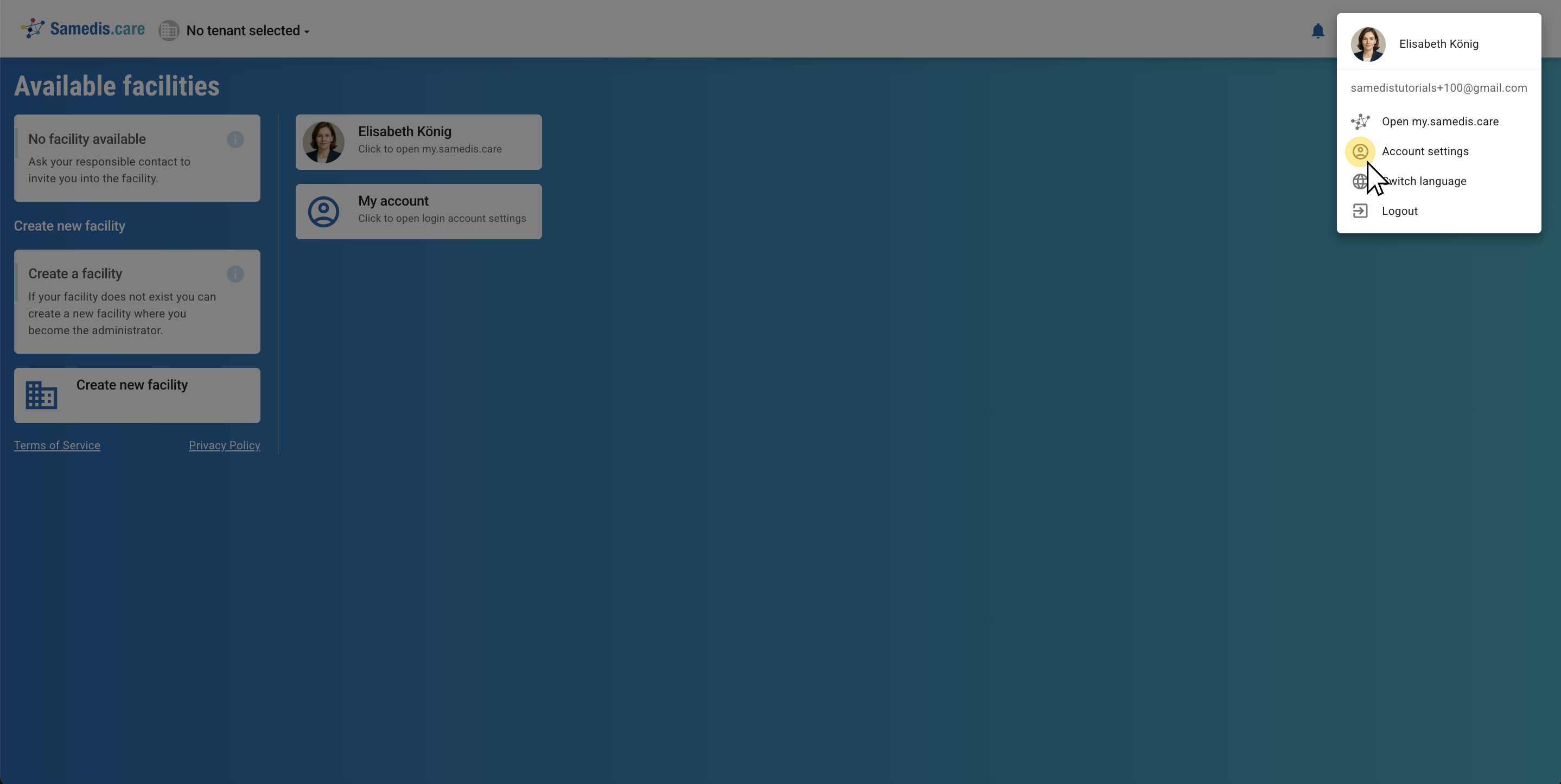
Log in to your Samedis.care account as usual, then open your account settings.
2. Enable MFA
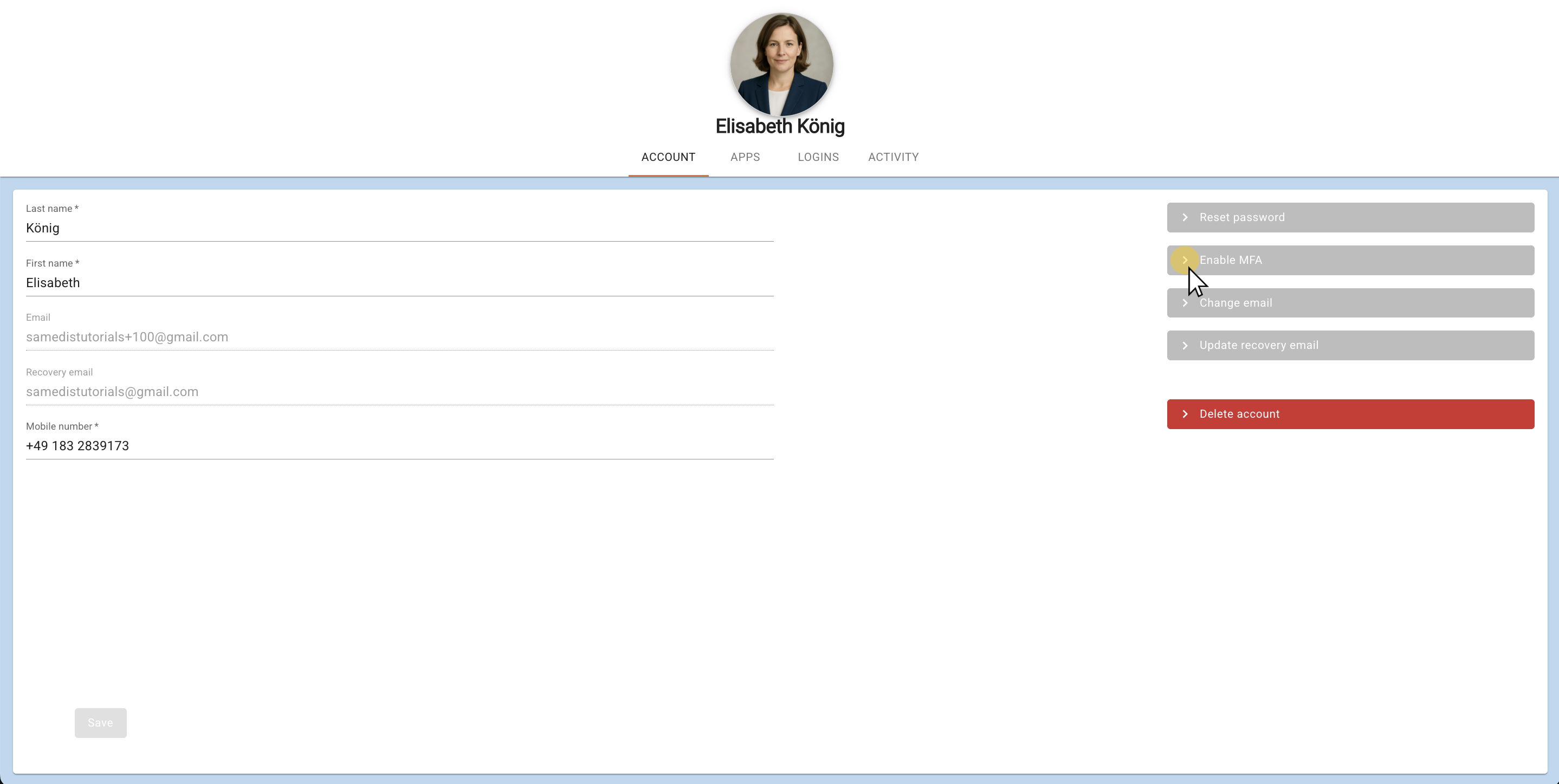
Select Enable MFA and then open the authentication app on your smartphone.
Tip
You can download the app from the App Store or Google Play Store.
3. Enter code
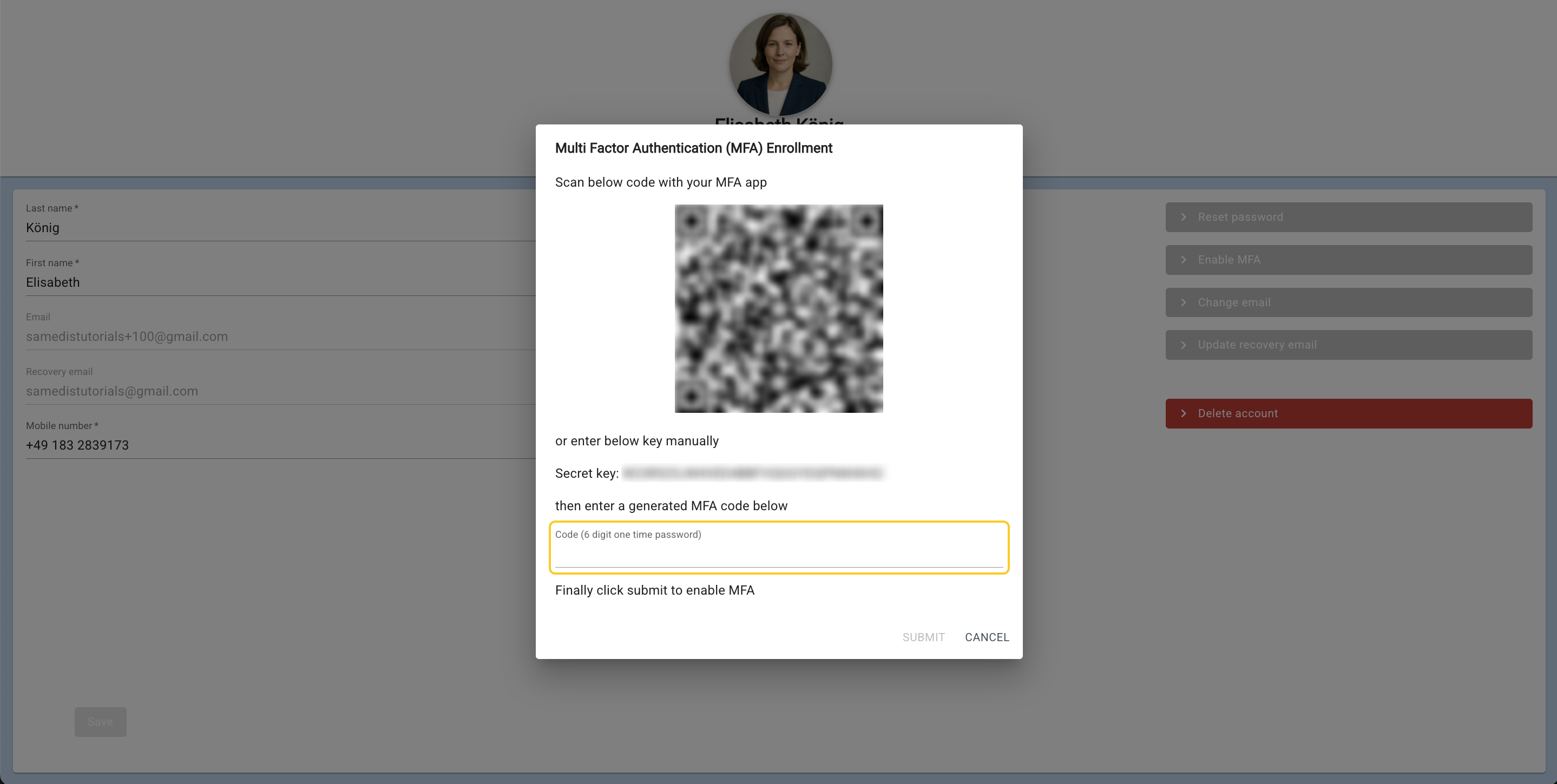
After scanning the QR code, the app will display a one-time password that is valid for 30 seconds. Enter this code in the provided field.
Tip
You’ll find the scanner function at the bottom right of the app’s home screen.
4. Backup-codes
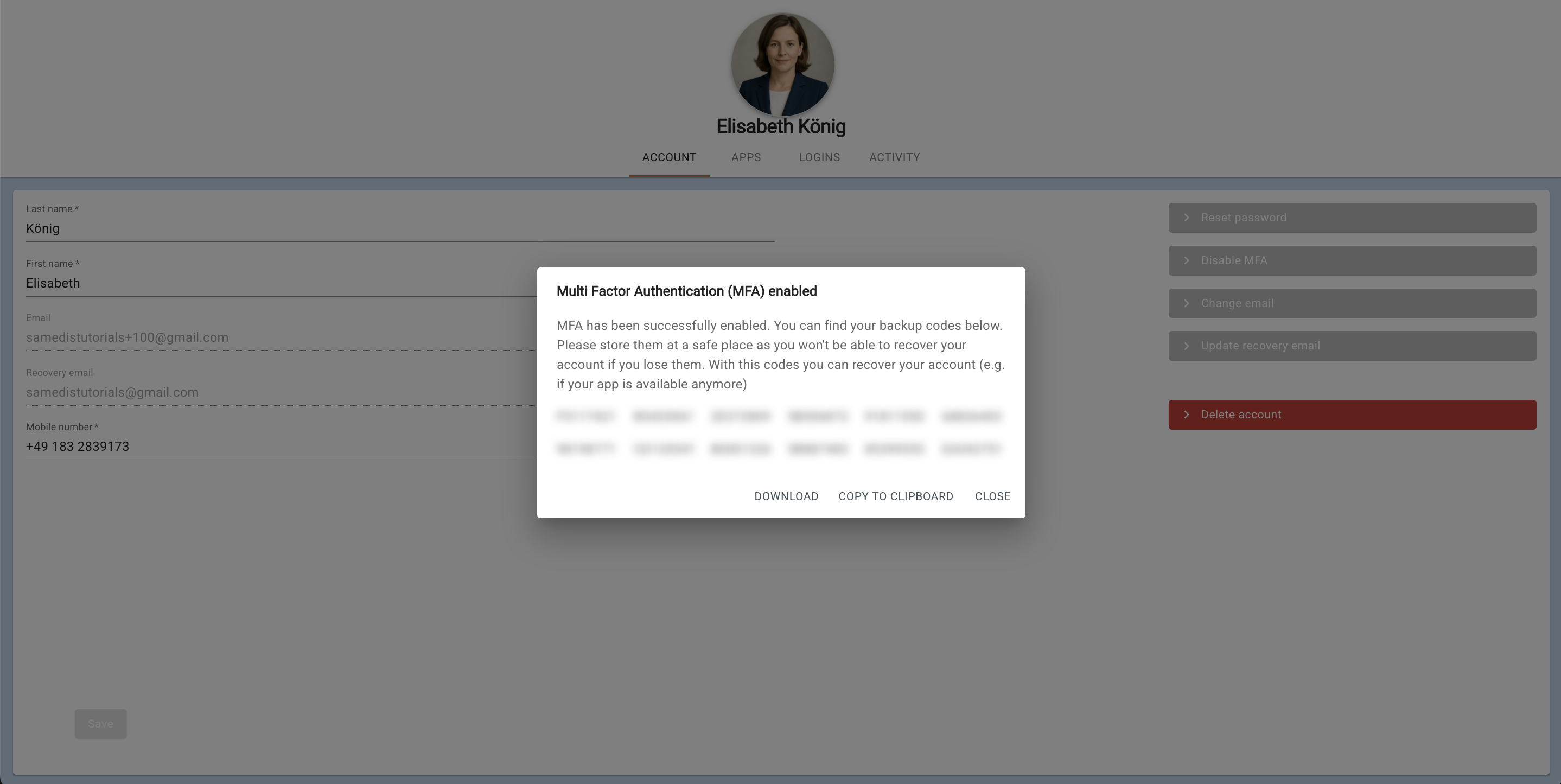
Your backup codes are now displayed. They allow you to recover your account if you lose access to your MFA app. To keep your account secure, download the codes and store them in a safe place.
Tip
If you want to deactivate MFA, click on Disable MFA and enter the 6-digit code from your app.