Subscribe calendar
Samedis.care displays scheduled trainings and tasks in a clear calendar view.
By subscribing to this calendar, you can integrate all relevant information into your personal Google, Outlook, or Apple calendar.
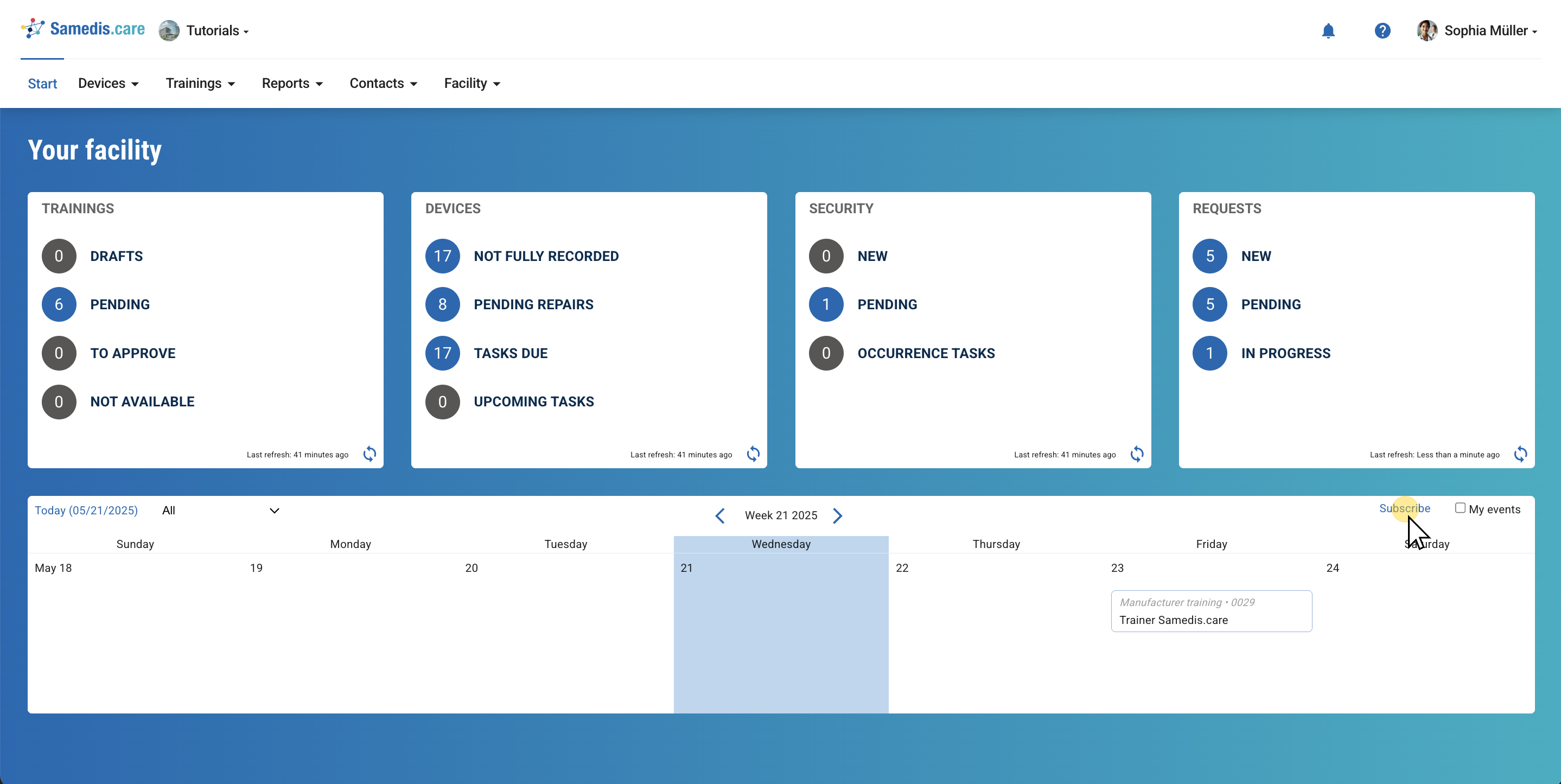
1. Subscribe calendar
Click on Subscribe.
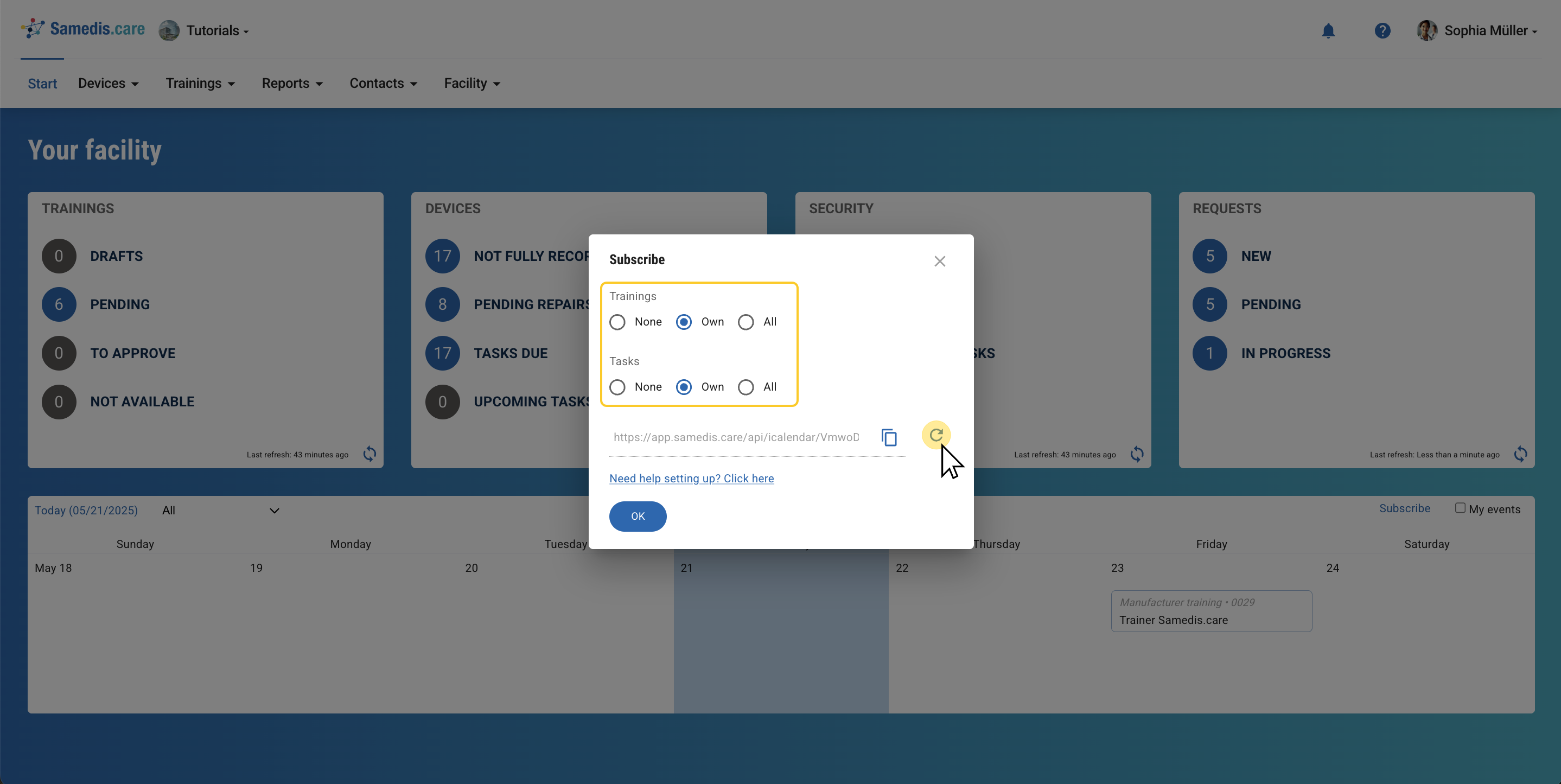
2. Select Entries
Select which trainings and tasks you want to display in your calendar.
Then click on 🔁.
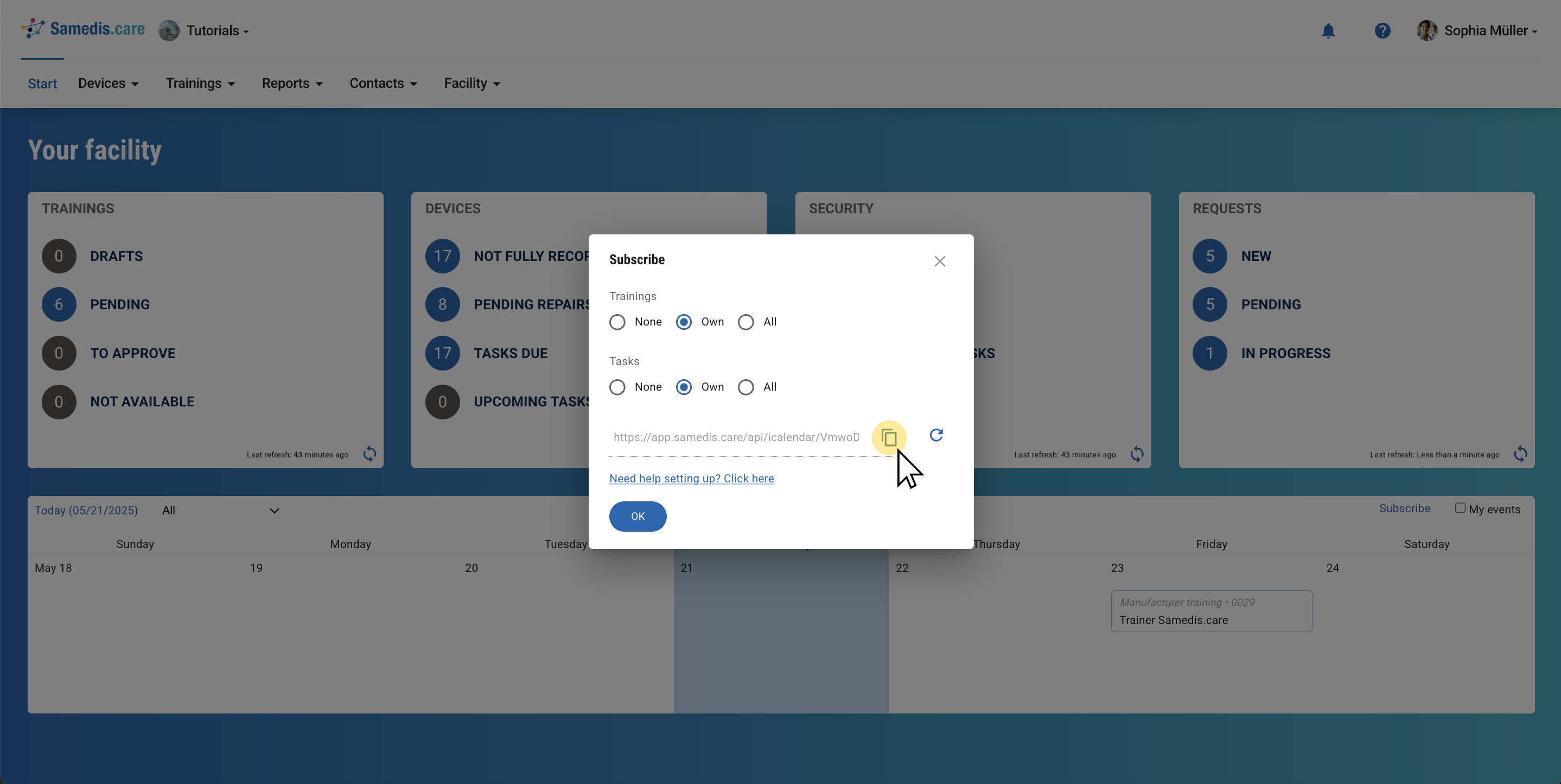
3. Copy URL
Now copythe URL and switch to your calendar.
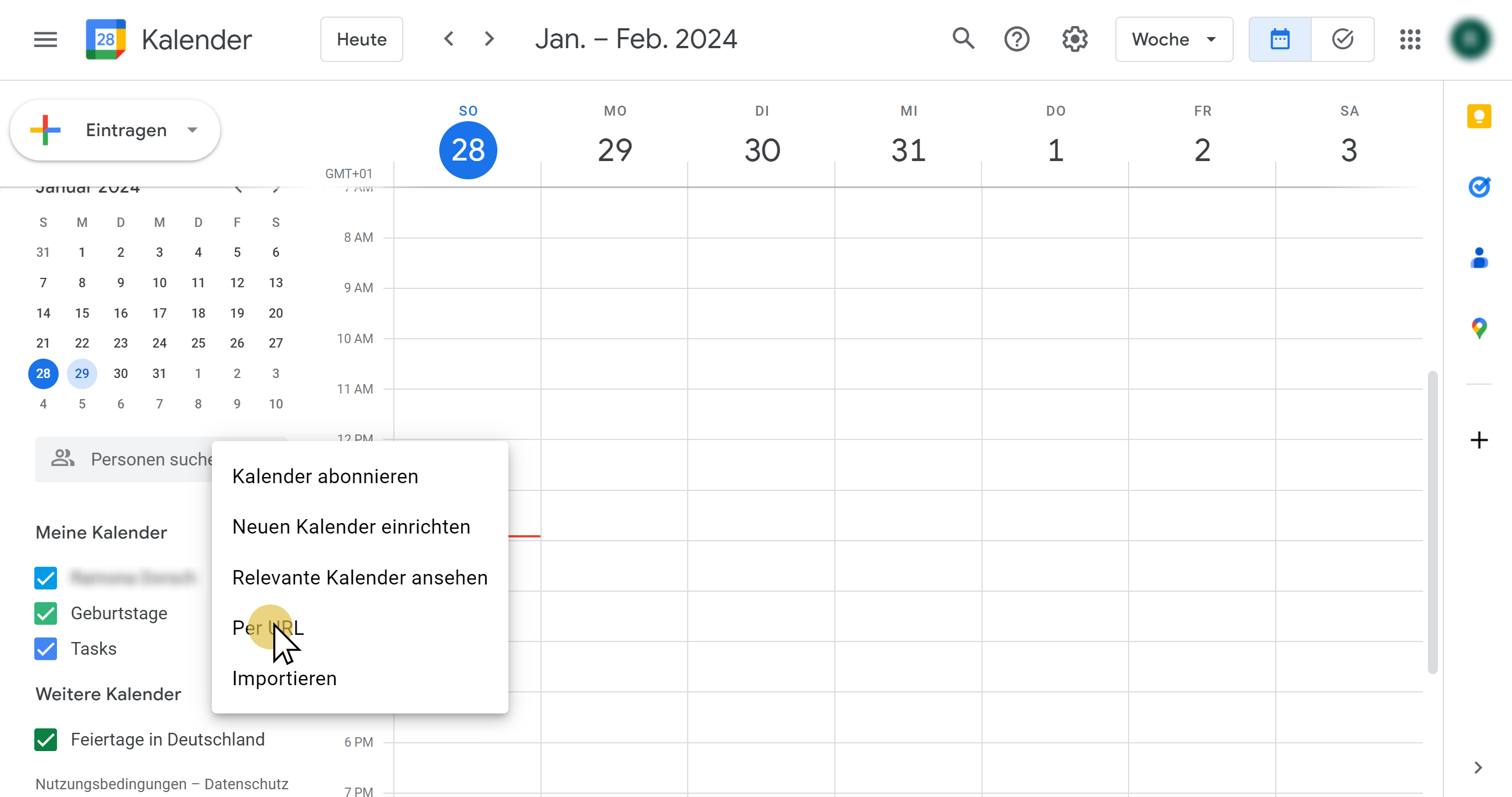
3.1. Google calendar
- Open your Google Calendar
- Click on + under Other calendars
- Select From URL
- Paste the URL you just copied
- Click on Add Calendar
For more information, visit:
Import events to Google Calendar - Computer - Google Calendar Help
Tip
It may take up to 24 hours for the changes to appear in your google calendar.
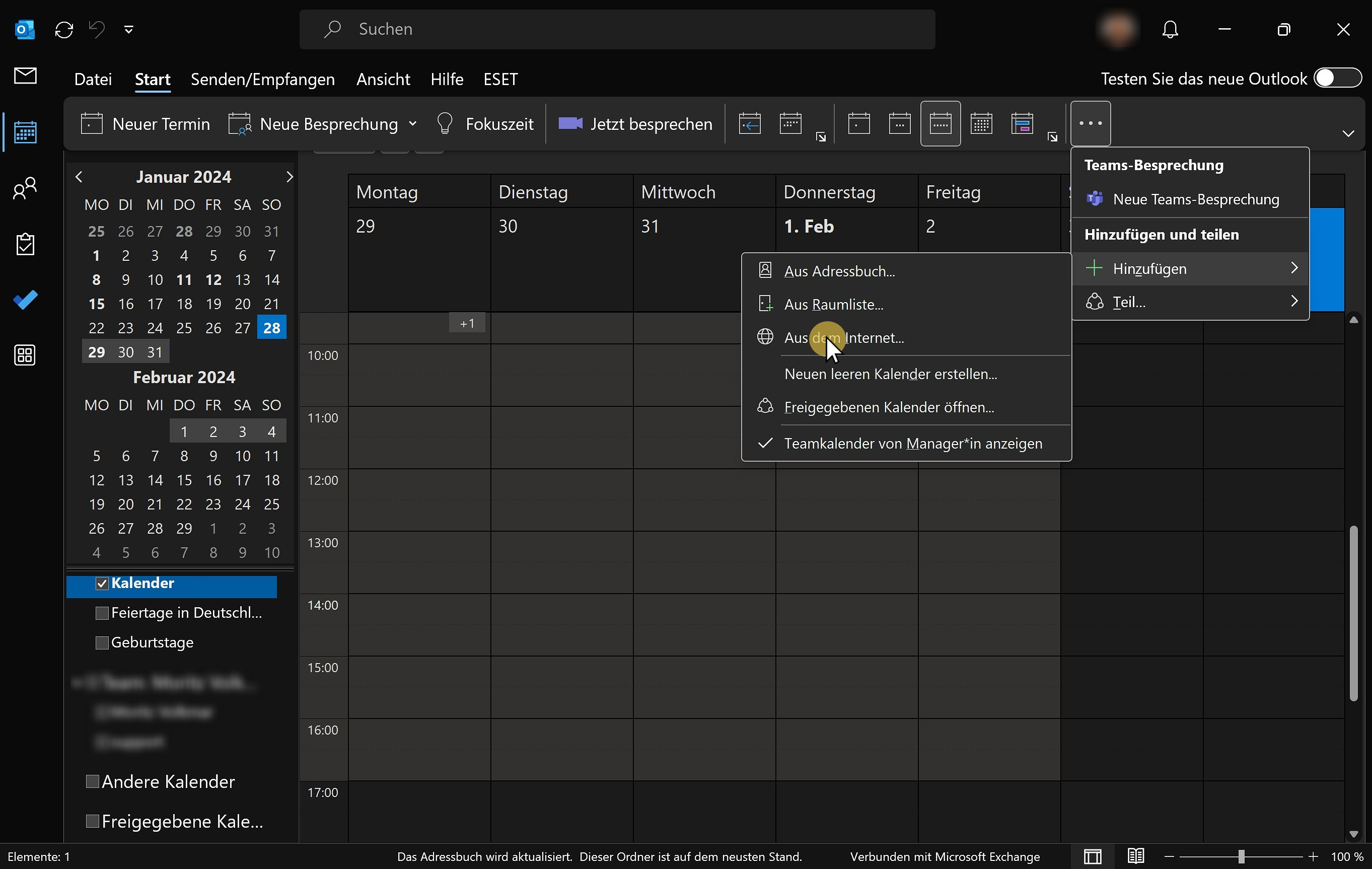
3.2. Outlook Calendar
- Sign in to Outlook.com
- Open your calendar in Outlook
- Click on Add calendar
- Select From the internet…
- Paste the URL you just copied
- Click on Import
For more information, visit:
Import or subscribe to a calendar in Outlook.com - Microsoft Support
3.3. Apple Calendar
- Open your calendar
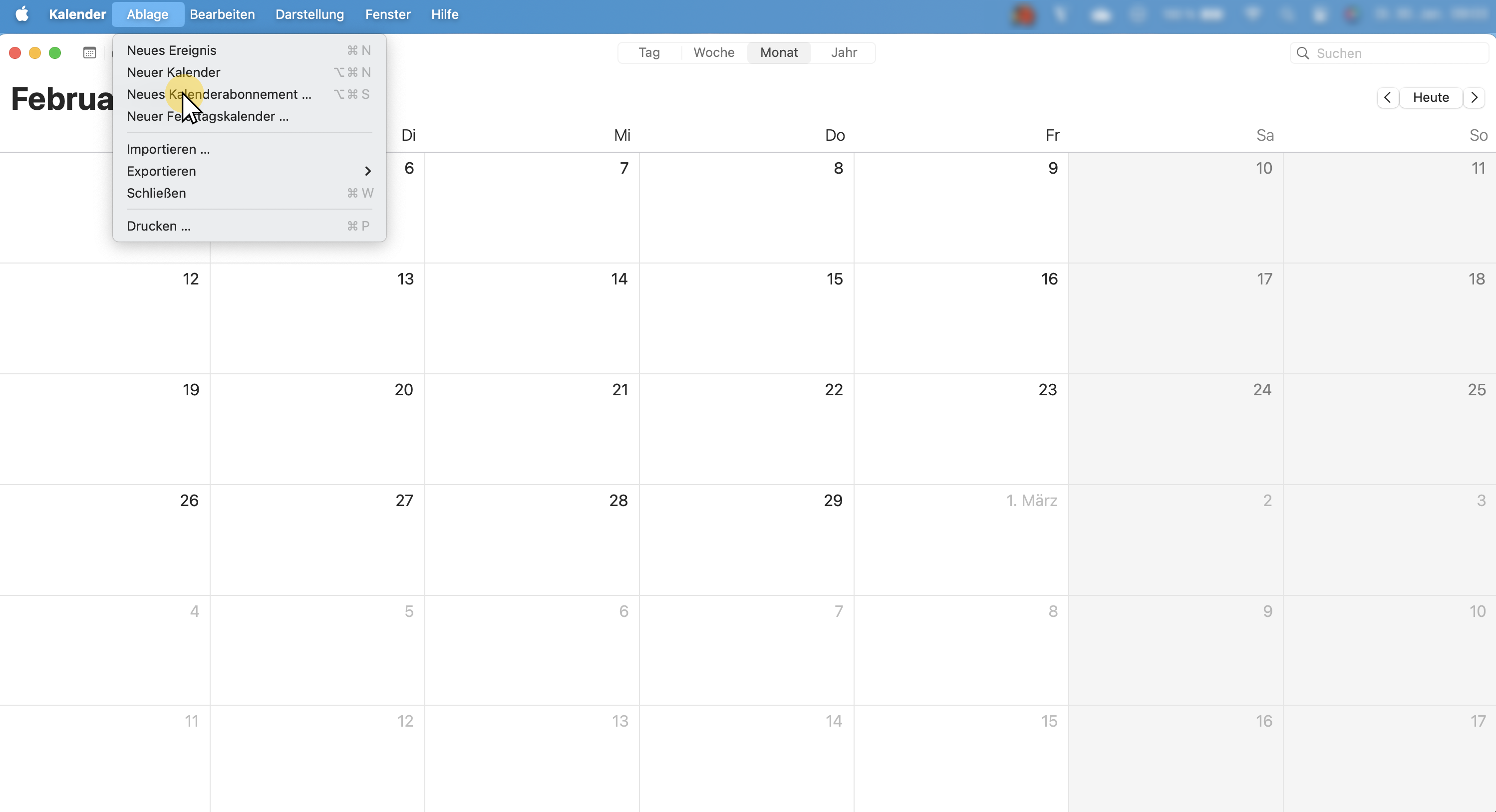
- Go under File to **New Calendar Subscription…**or under Add Calendar to Subscribe to Calendar
- Paste the URL you just copied
- Click on Subscribe
For more information, visit:
Subscribe to calendars on Mac - Apple Support (DE) or
Using multiple calendars on iPhone - Apple Support (DE)