Facility contents
In this tutorial, we look at how to provide your own content for your devices in Samedis.care, for example operating instructions, a quick guide or a video, and assign it to the right device models.
1. Facility contents
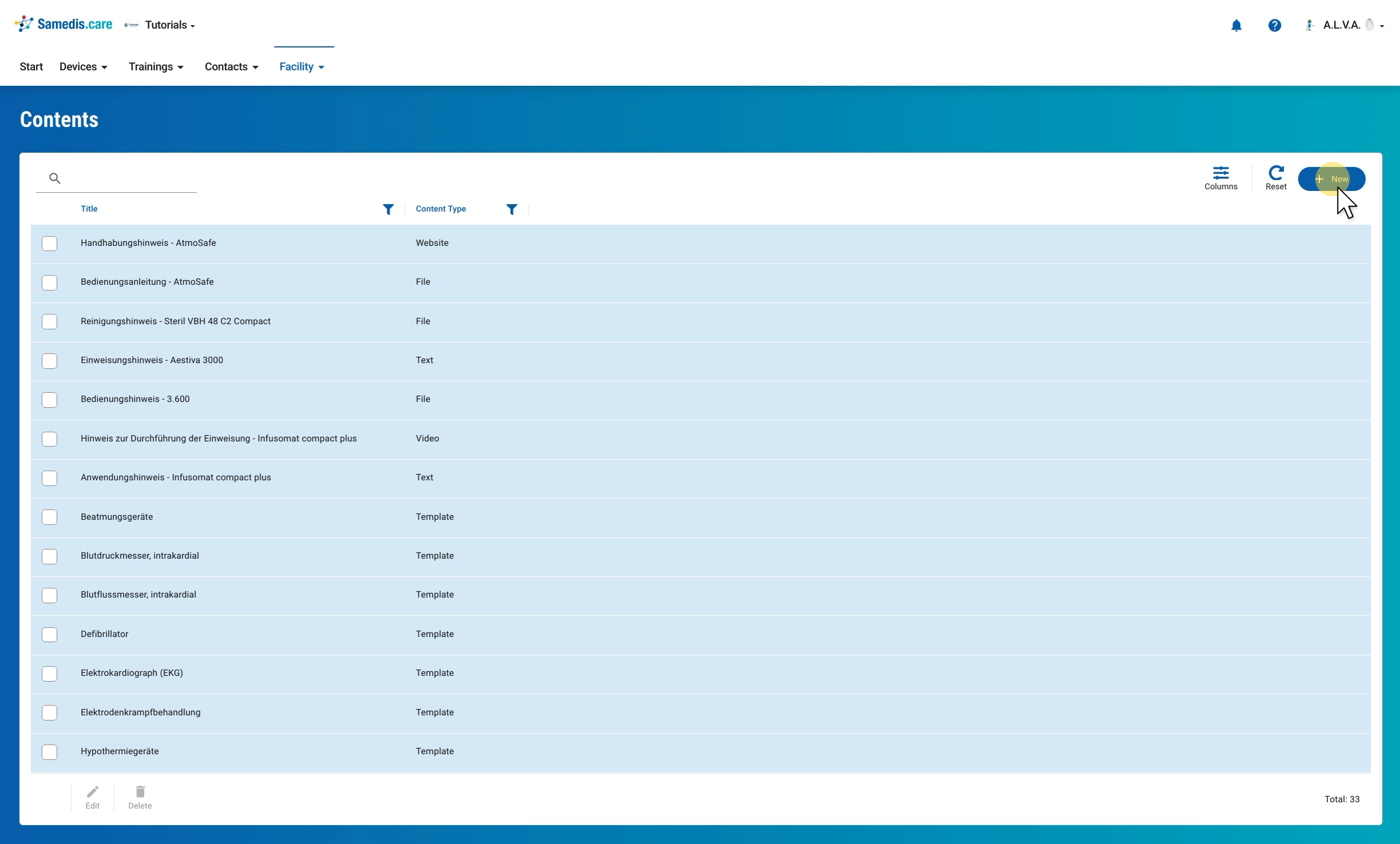
Under Facility, you will find all your facility’s content in Facility contents, each with its content type. To add new content, click + New.
2. Add content
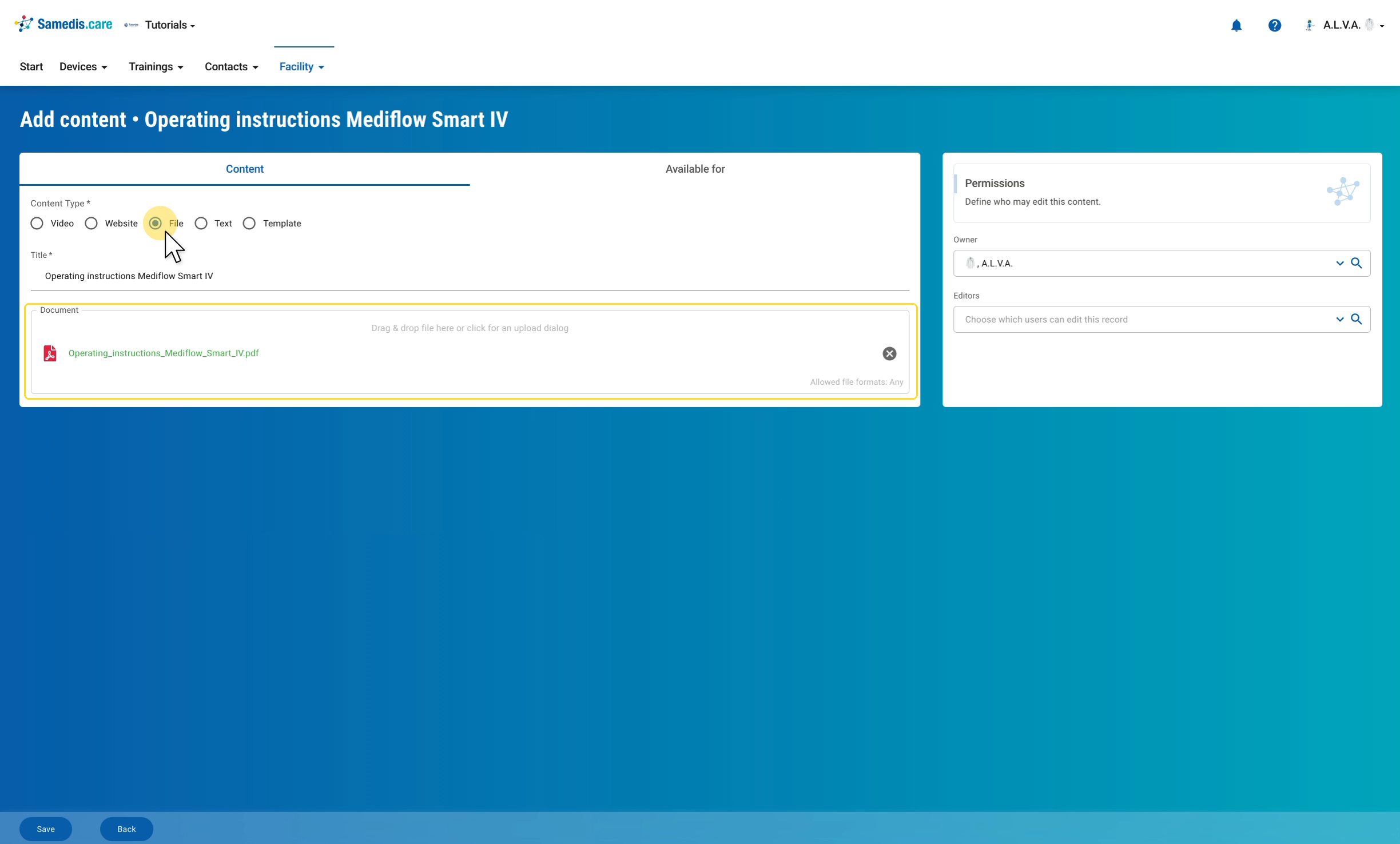
In the Content tab, first select the Content Type: Video, Website, File, Text or Template. Give the content a Title that makes clear what it is about, for example “Operating instructions Mediflow Smart IV”. Depending on the content type, you then add the matching content; for a File, for example, drag and drop the PDF into Document or click to upload it.
Tip
The Template content type is a form you design yourself, which you can use as a checklist in maintenance tasks. The how-to Create checklists shows how.
3. Assign to devices
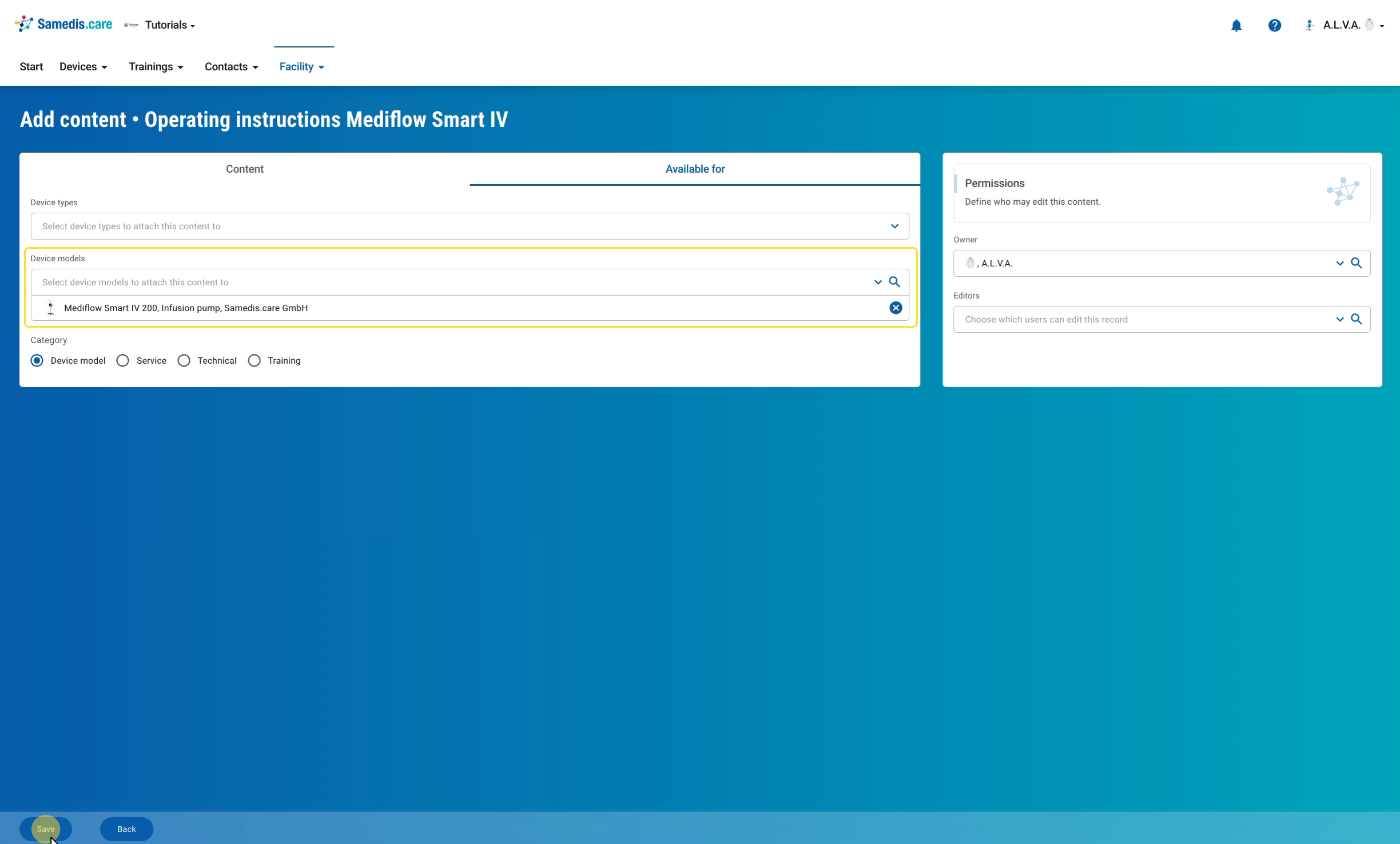
In the Available for tab, define which Device types or Device models the content should be attached to. Under Category, you also assign it to an area: Device model, Service, Technical or Training. On the right under Permissions, you decide who may edit the content. You are the Owner at first; under Editors you can select further people if needed. Then store the content with Save.
Warning
Anyone who may edit the content can also change it completely, so think carefully about who you add as an editor.
4. Edit content
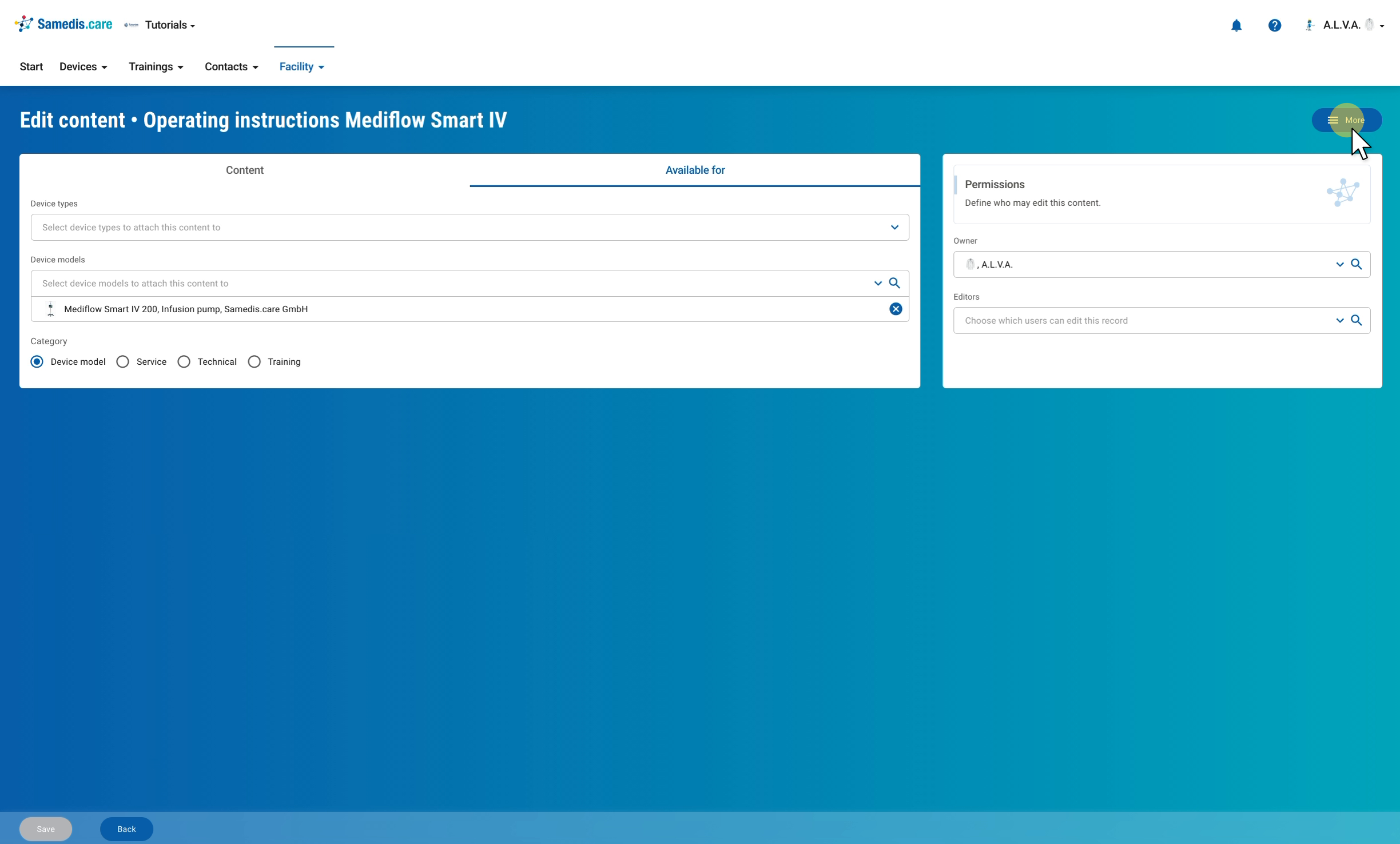
After saving, the content stays open and you can continue to adjust it at any time. Via More at the top right, you can create a copy as the basis for new content, for example for a similar device, or see who changed the content and when.