Profit center
In this tutorial, you’ll learn how to create and effectively use profit centers in your Samedis.carefacility.
1. Use profit centers
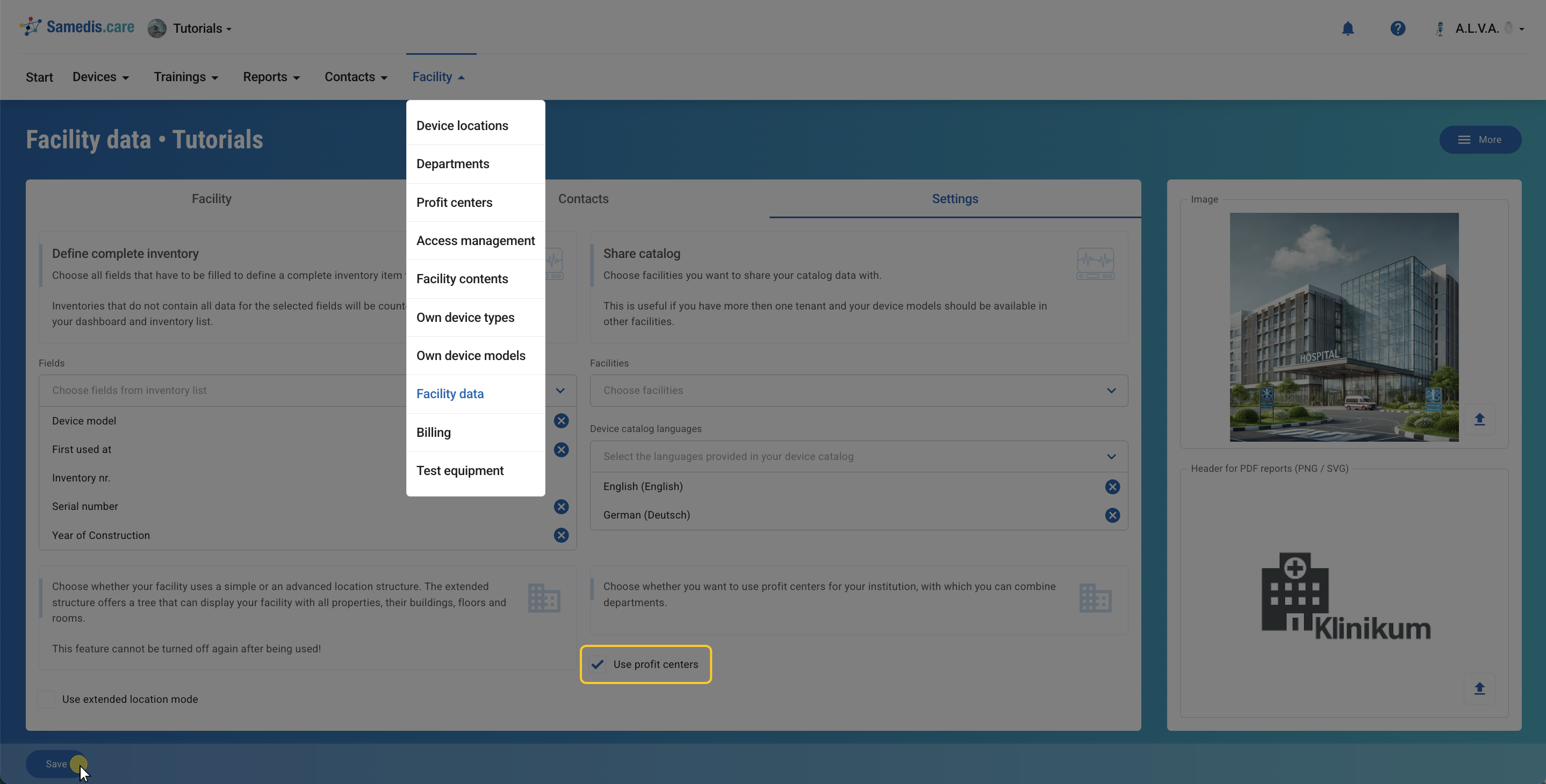
First, activate the use profit centers feature in the settings of your facility data.
2. Menu: Profit centers
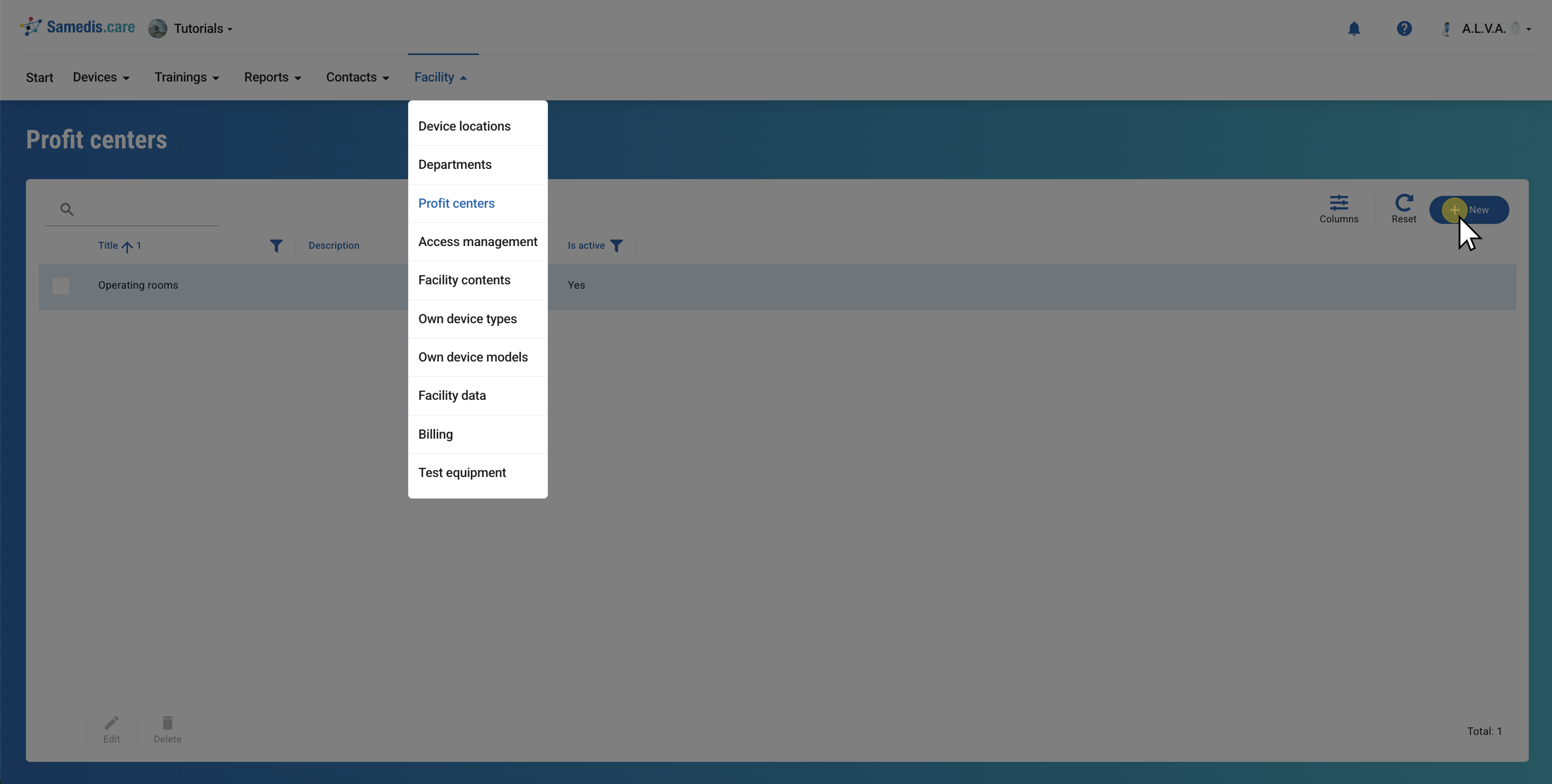
Now go to the new menu item Profit centers. There, you’ll find all profit centers that have already been created.
To add a new profit center, click on + New.
3. Edit profit center
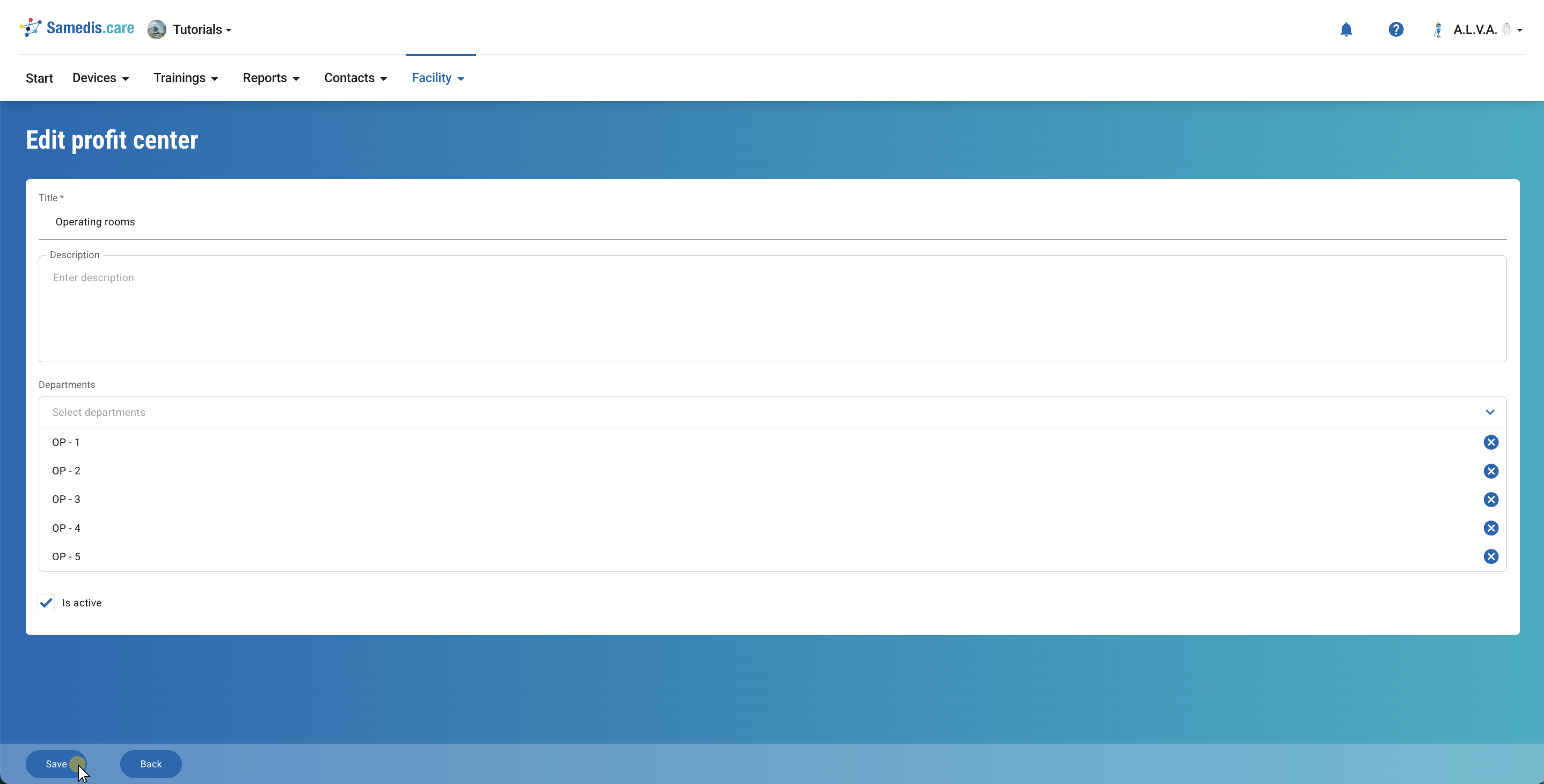
Give your profit center a title and, if needed, add a description. Then select all departments that should be assigned to this profit center.
If the profit center is no longer in active use, you can set it to inactive.
4. Filter
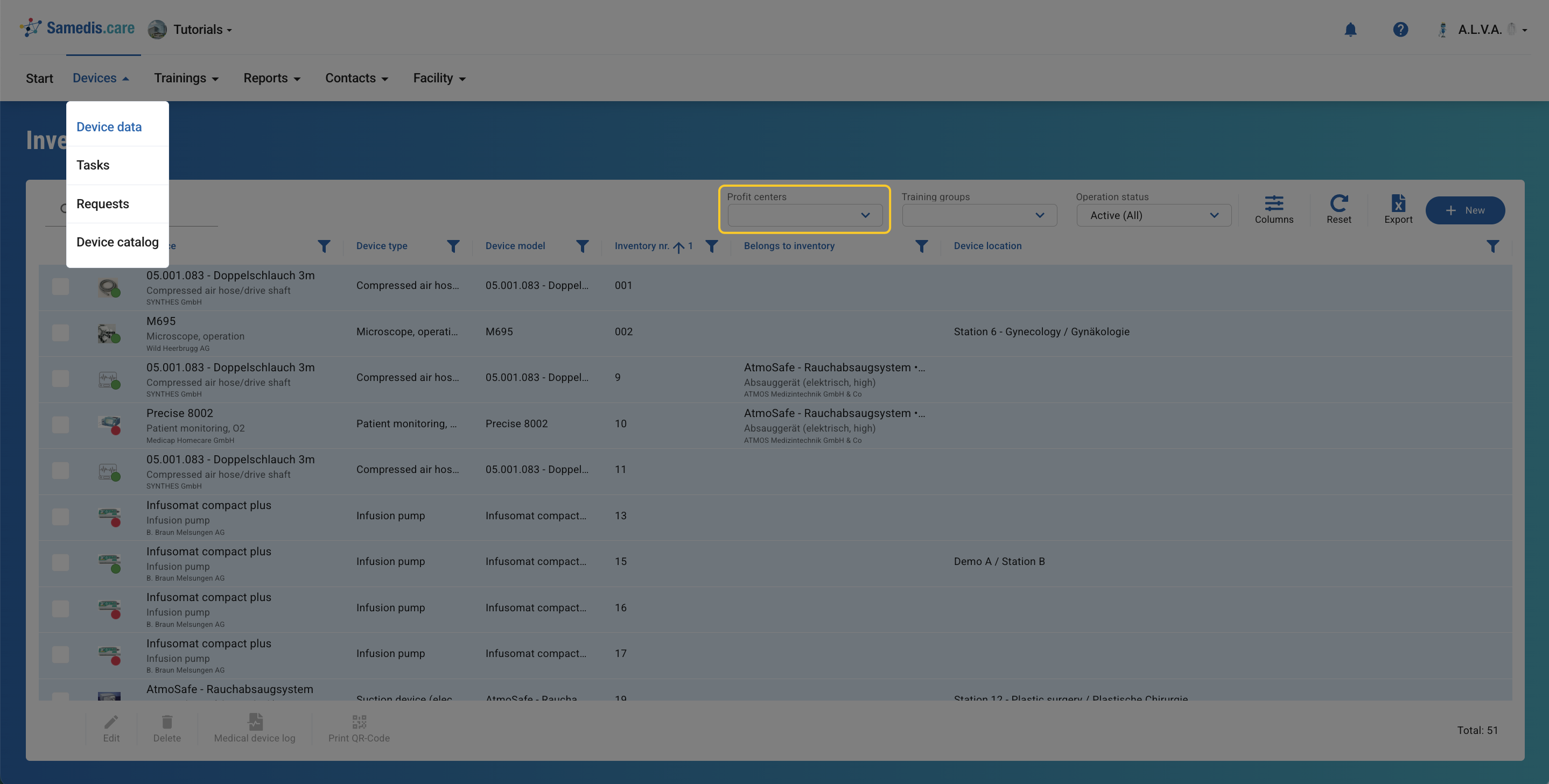
Your created profit centers are now available as filters, for example when analyzing or managing device data. This allows you to display only the information that is relevant to you.