Access management profiles
Create profiles to assign specific access rights in your Samedis.care facility.
1. Access profiles
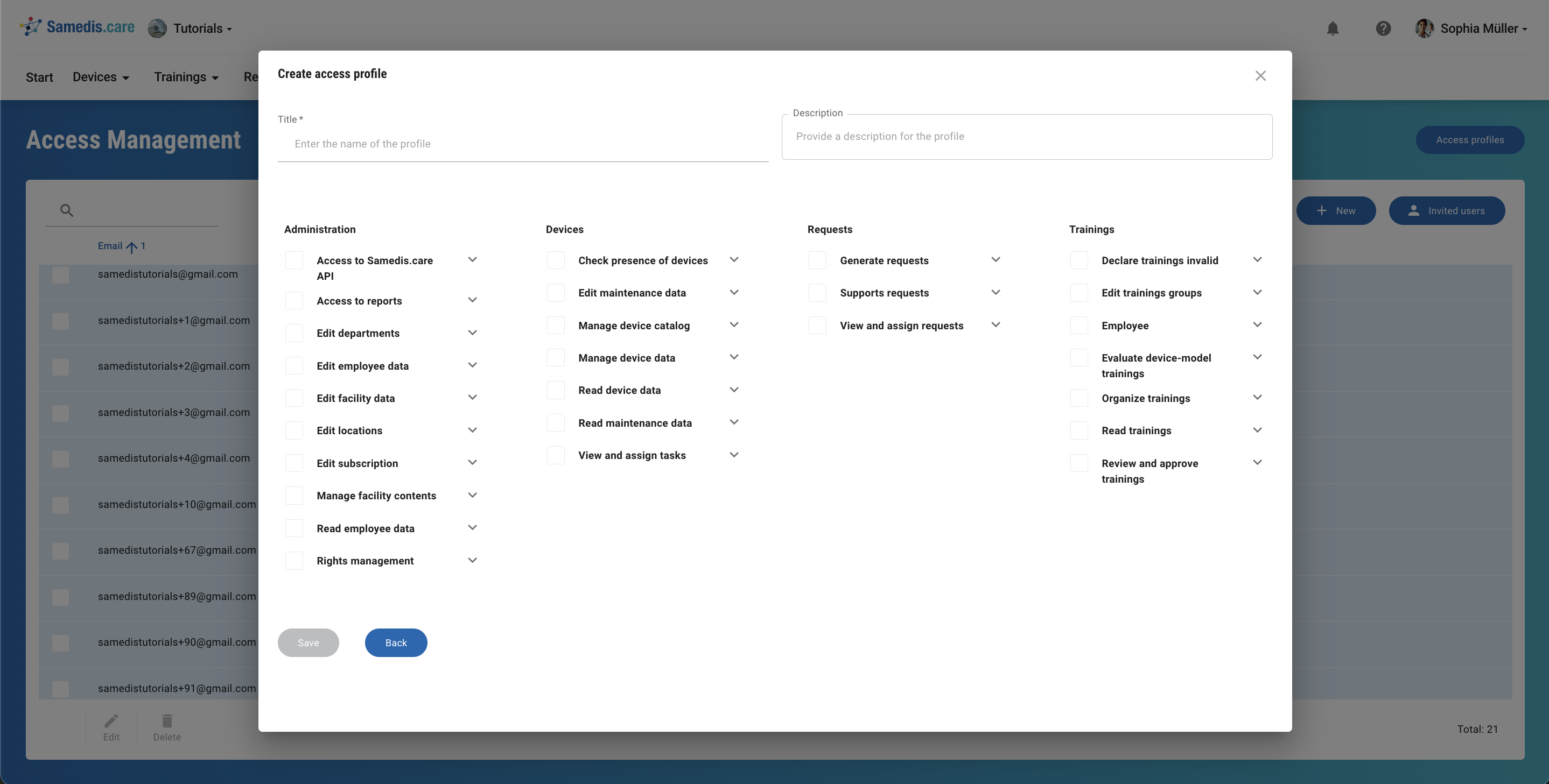
You can find the complete access profile overview in Access Management under Access profiles.
2. Create new profile
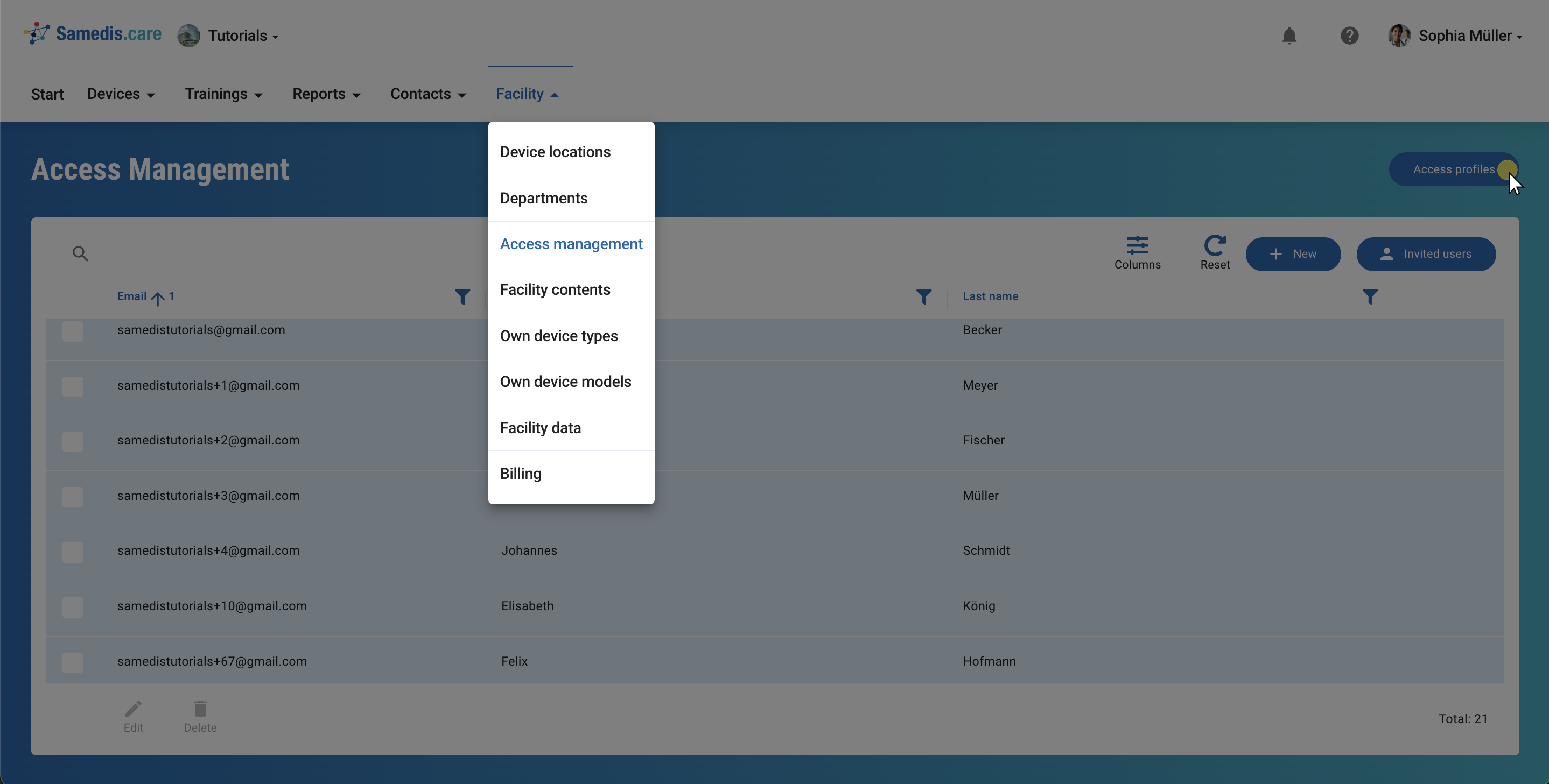
This view displays all profiles already created for your facility.
To add a new profile, click + New.
Tip
Samedis.care provides the following user profiles by default:
– Standard user – Medical Device Training Coordinator – Medical Device Data Manager – Human Resources Manager
3. Create access profile
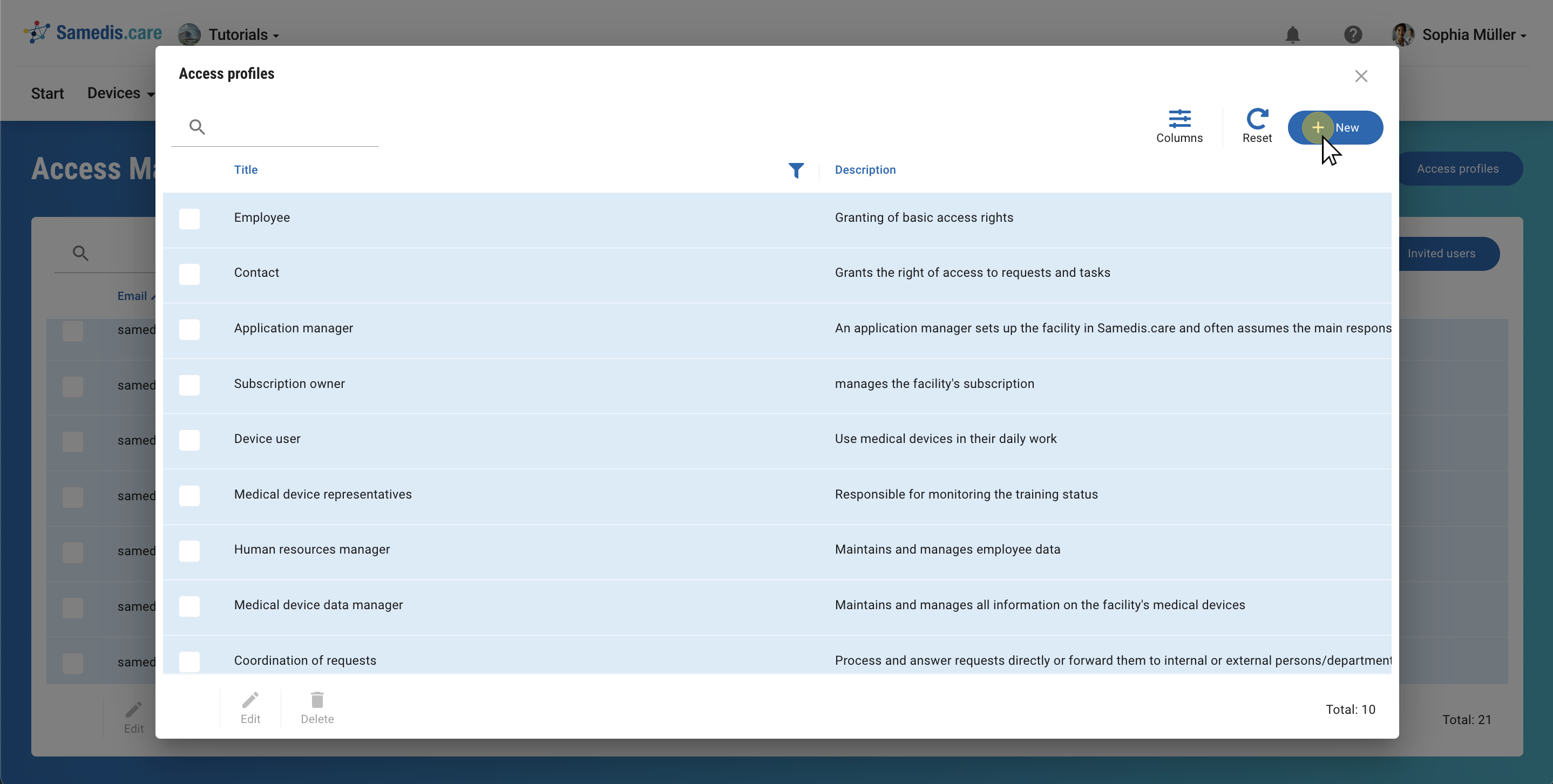
Add a Title and a Description to the new profile. This allows you to define exactly who the profile is for.
Then select the required access rights and save it.