Directory
In this tutorial, we’ll look at how the Directory helps you quickly find and contact the right people in your facility.
1. Directory
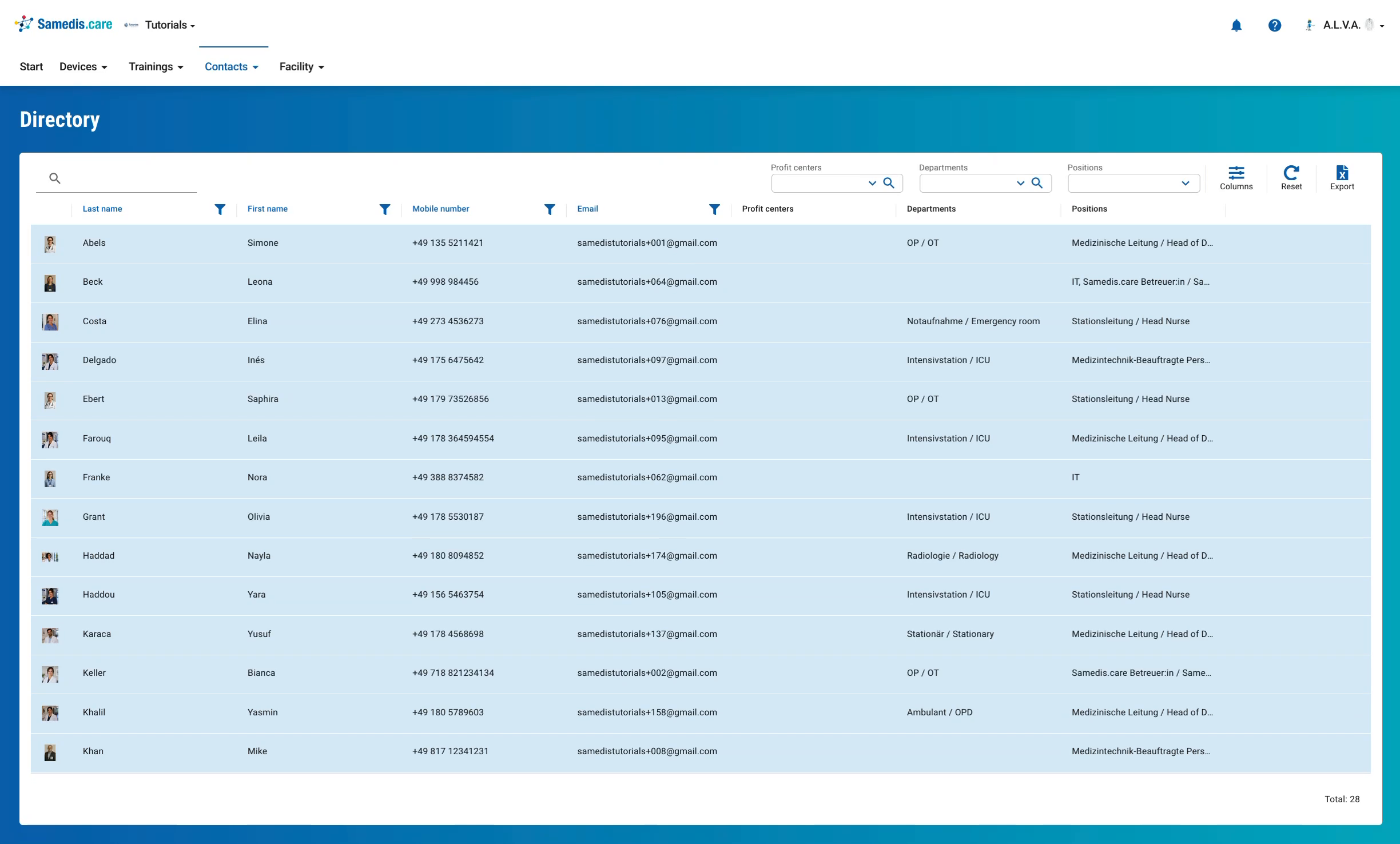
Under Contacts, the Directory lists all employees included there, along with their mobile number, email address, departments and positions. Everyone in your facility who has access to the employee data can view it.
Tip
A person only appears in the directory if they have been assigned a position with the Show in directory option enabled. Each person decides in their own profile whether their picture, phone number and email address are visible.
2. Filter
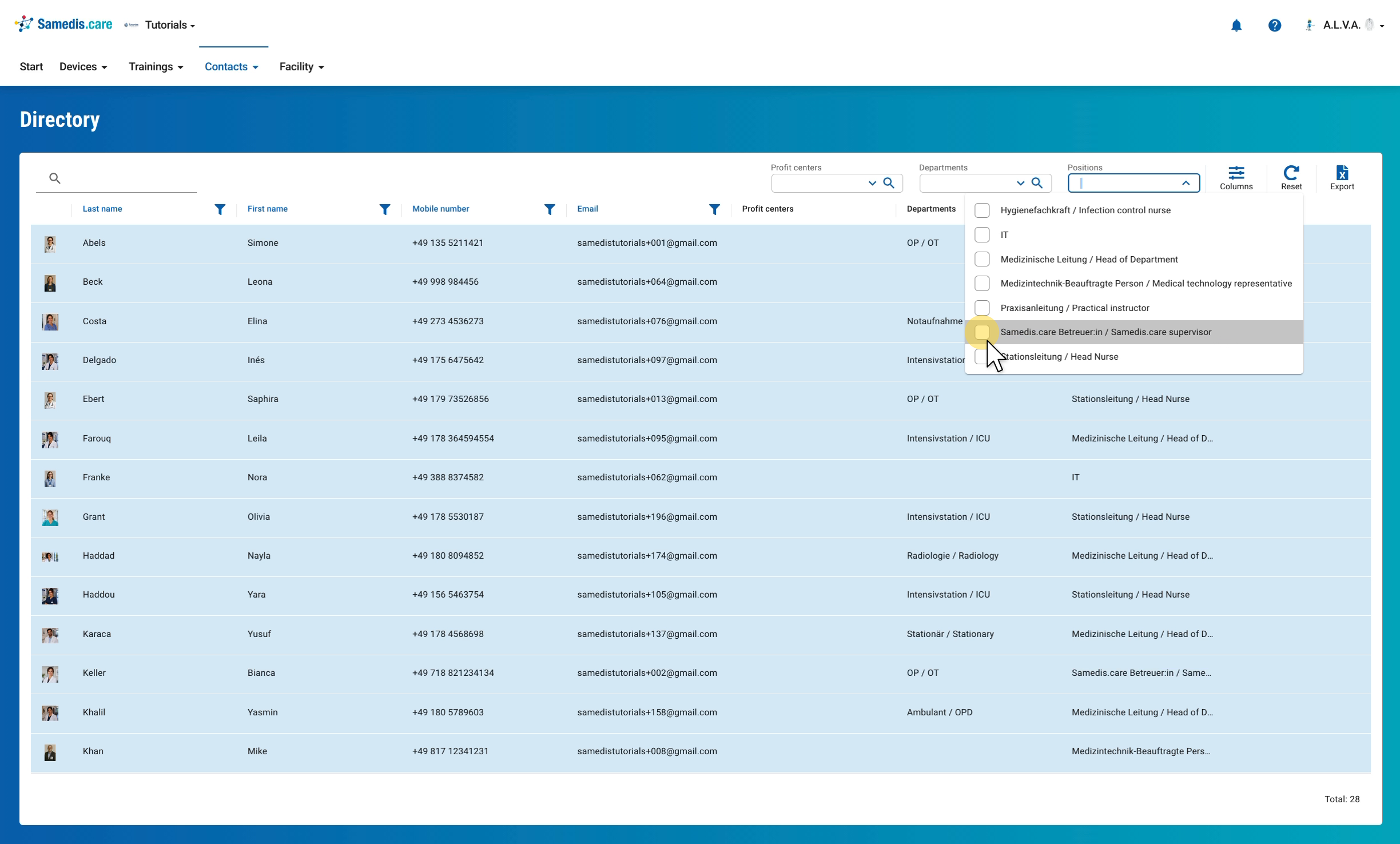
At the top right, you can filter the list by Profit centers, Departments and Positions. Open the field you want and check one or more entries, for example a specific position.
3. Filtered list
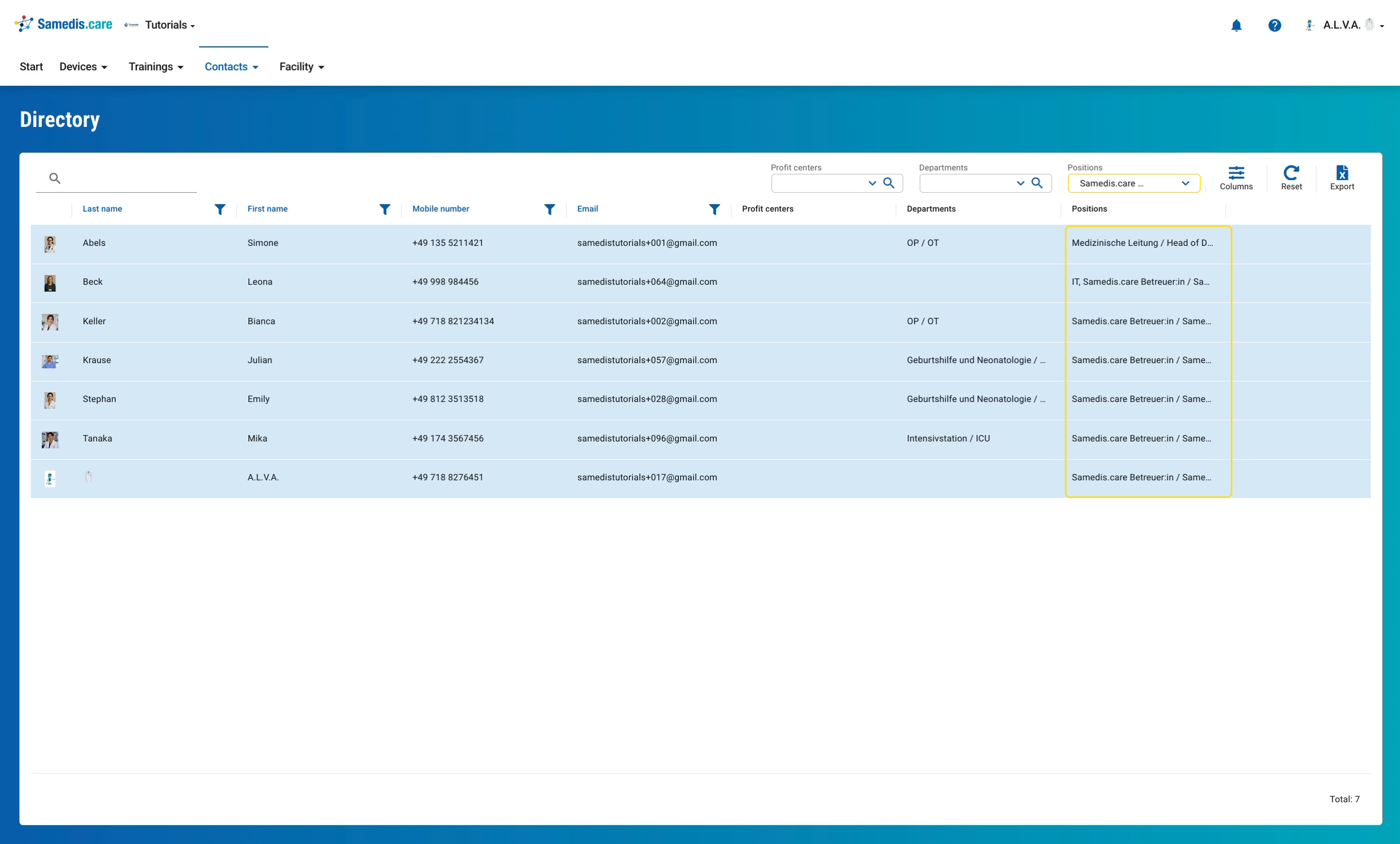
Now you only see the people who match your selection. This way, you can find the right contact person quickly.
Tip
The cross in the filter field or Reset shows everyone again. For a single person, the search at the top left is often enough.