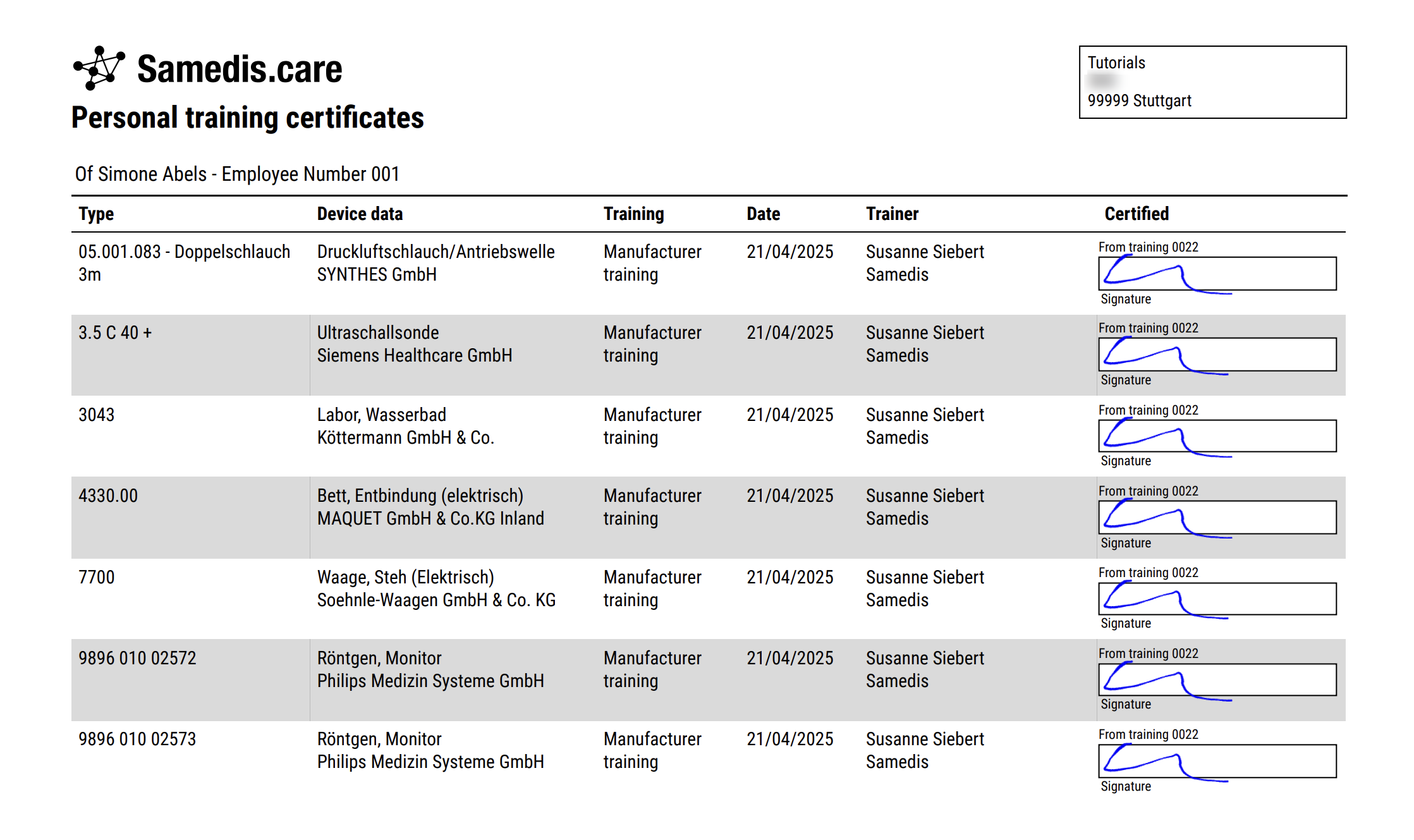
Personal training certificates
With Samedis.care you can generate a personalized digital training certificate for each of your employees. All documented trainings are automatically matched with the corresponding employee data and stored accordingly.
1. Select employee
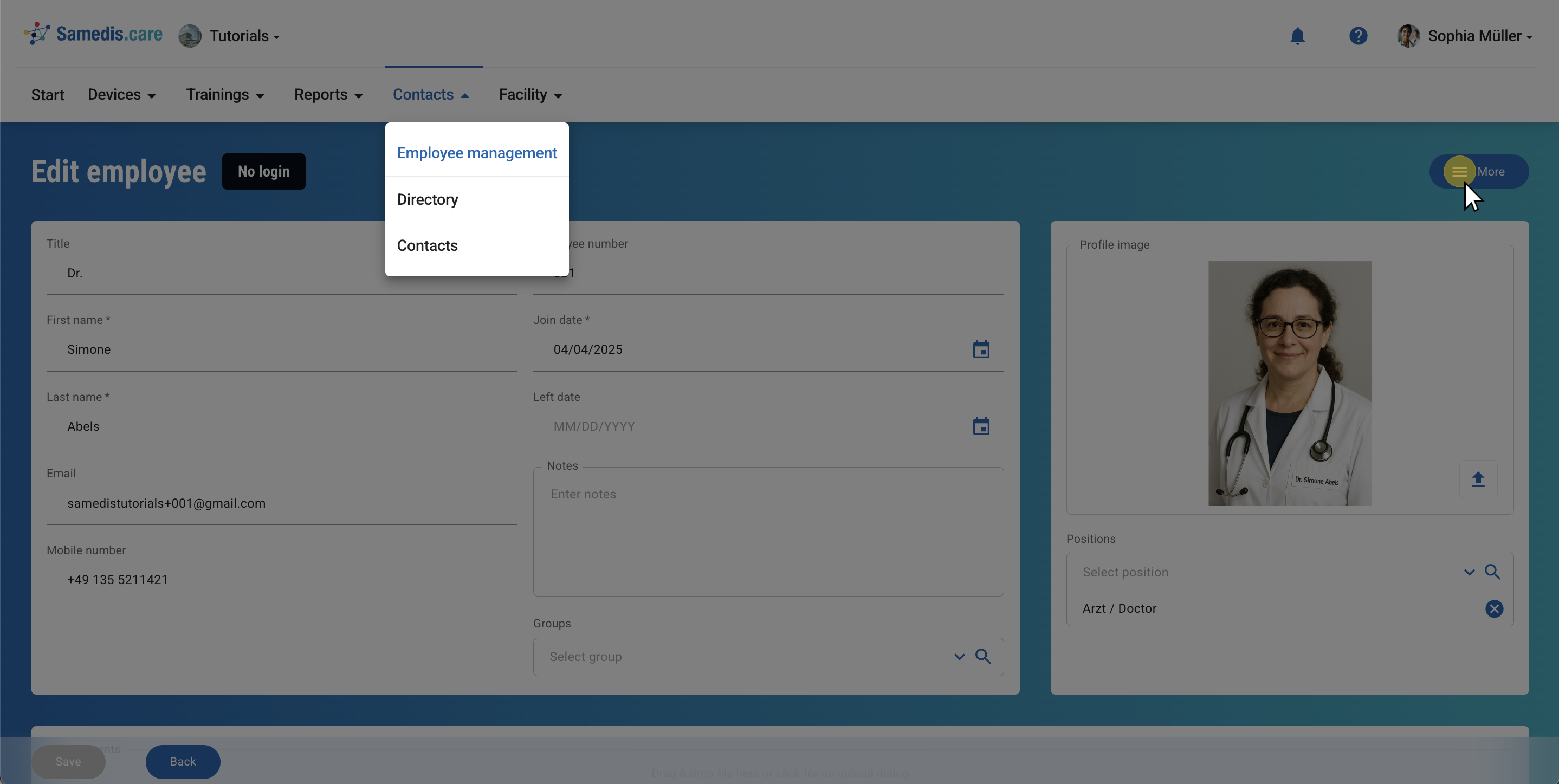
Go to the Employee management area and select the person whose training certificate you’d like to view.
Next, click on More.
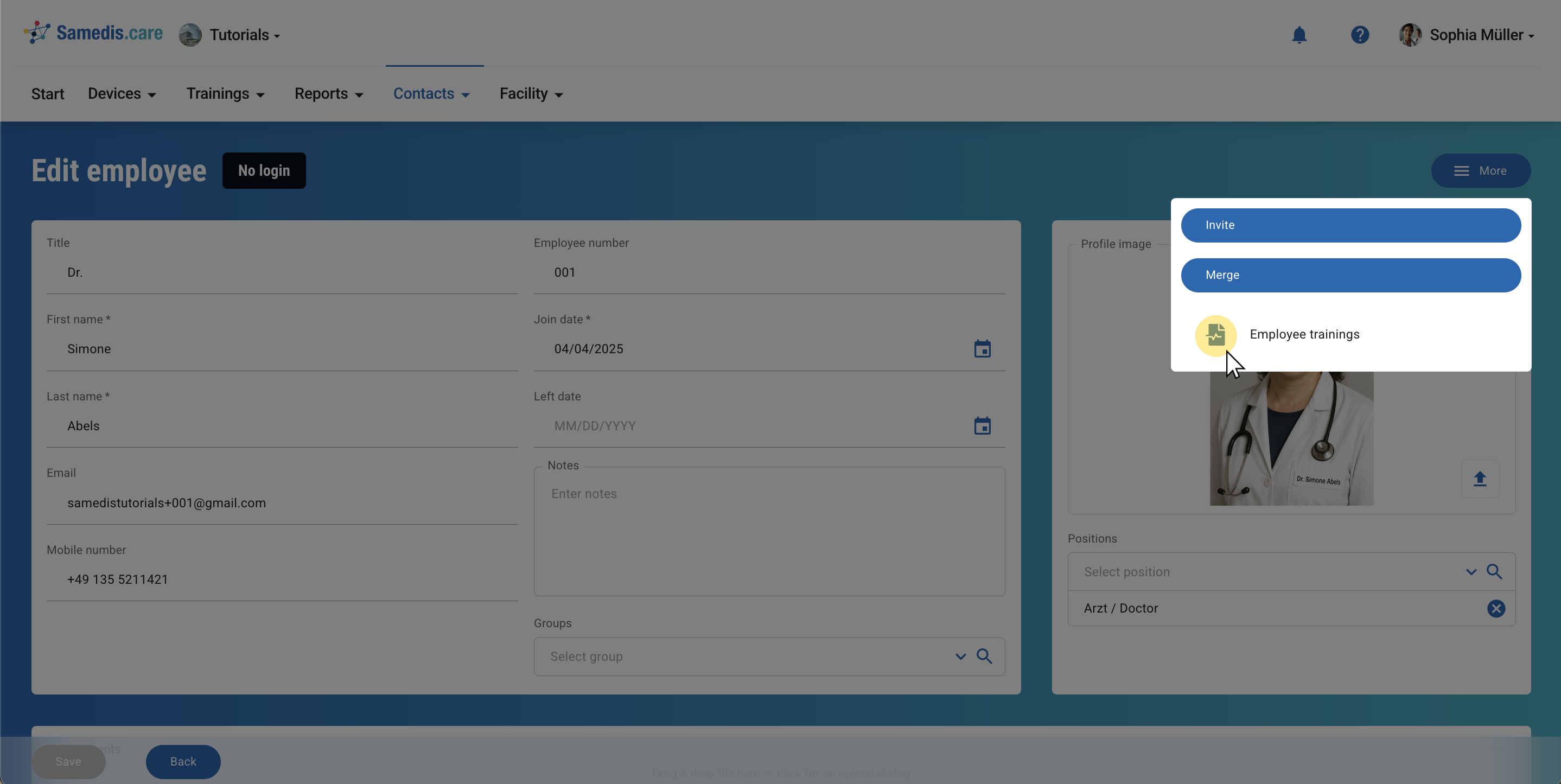
1.1. Employee trainings
Click on the menu item labeled Employee trainings.
2. Trainings
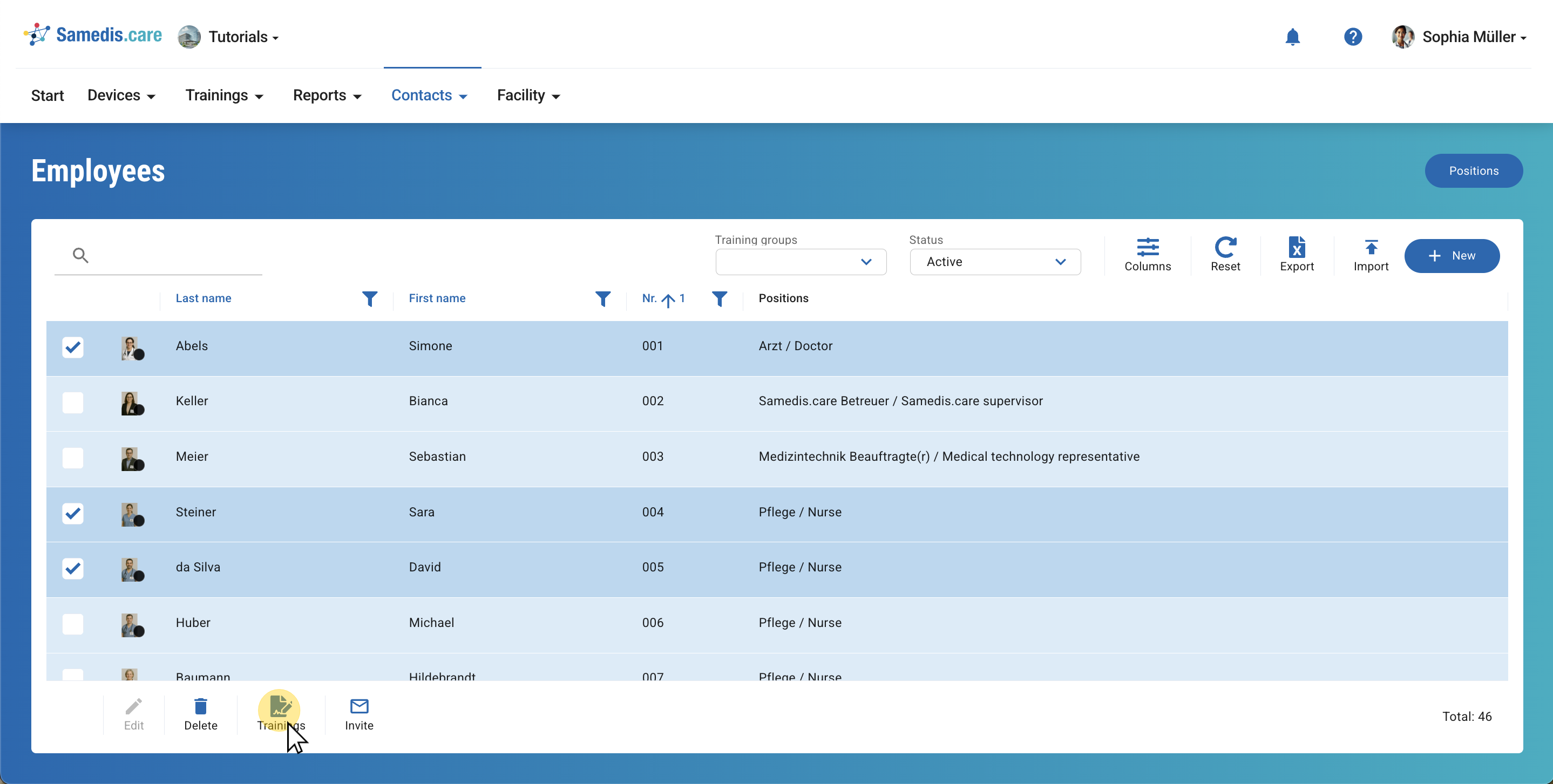
To generate a combined PDF of training certificates for multiple employees, select the relevant individuals from the list and click Trainings.
Tip
You can also use this feature for one specific employee.
3. Sample file
Here’s an example of what a personalized training certificate for one of your employees might look like.