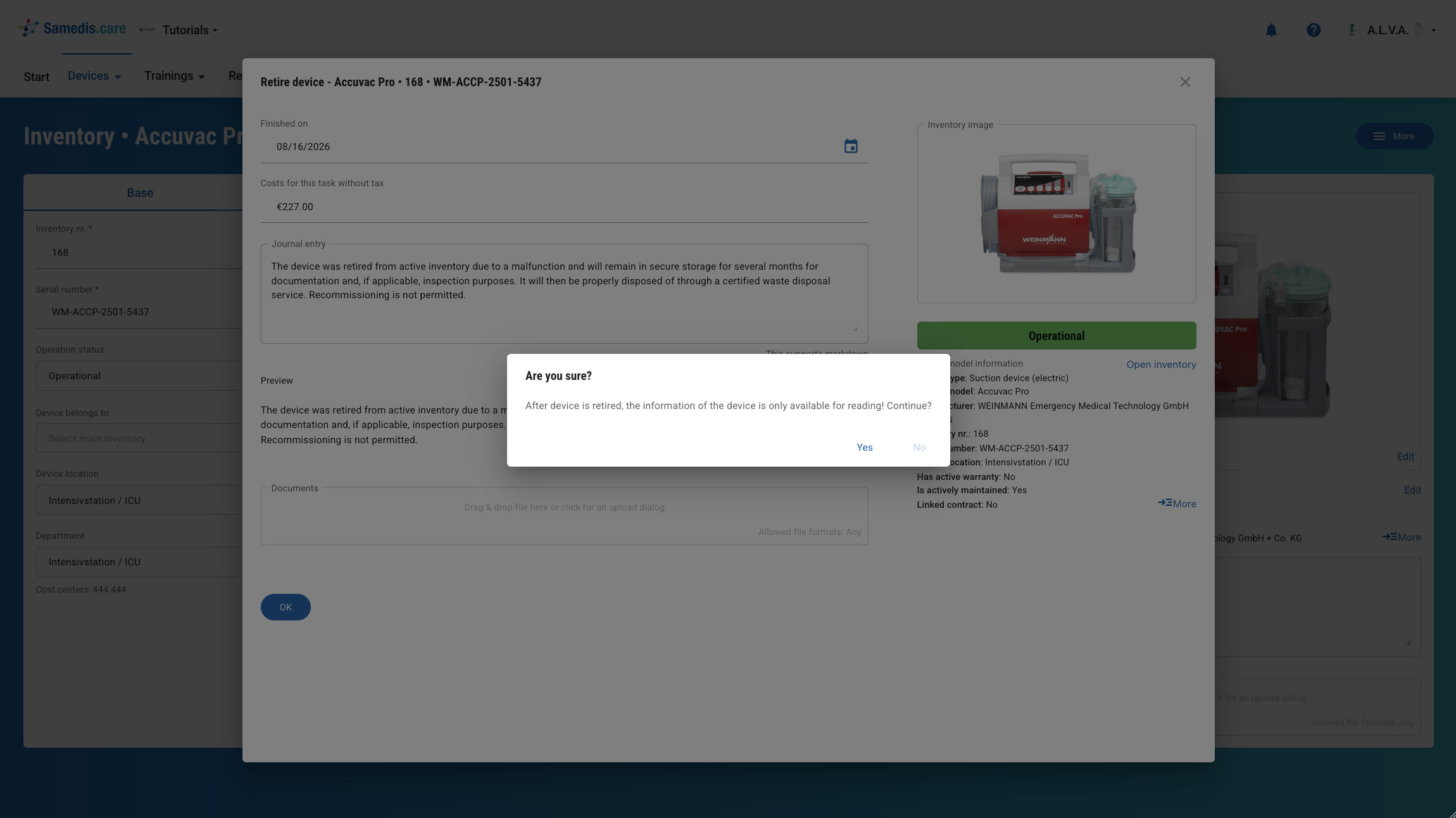
Retire device
Devices that can no longer be operated economically due to their age or are no longer repairable can be retired and permanently removed from the inventory. In this tutorial, we’ll take a look at how to retire devices in Samedis.care.
1. Device details
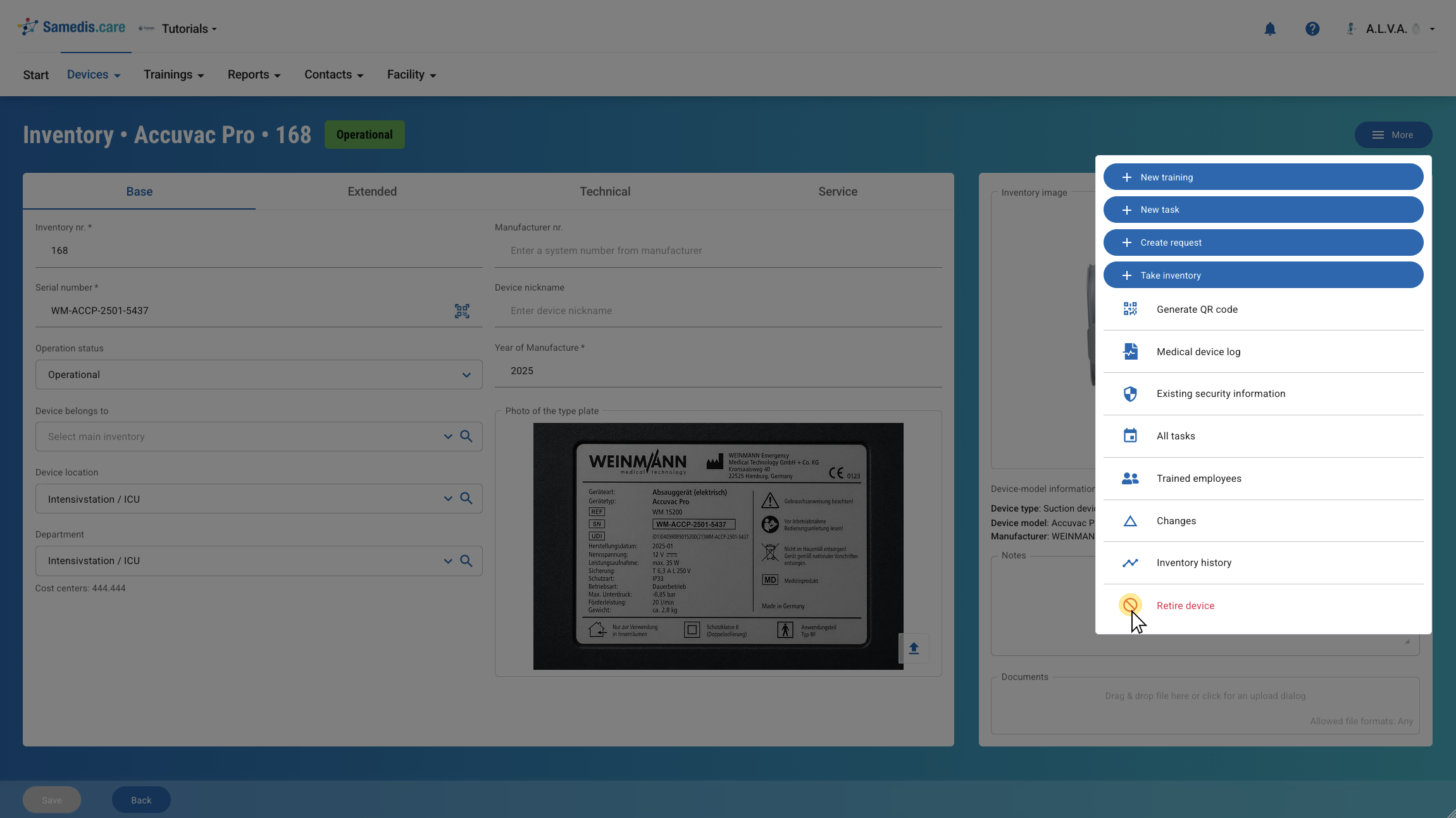
To retire a device, click Retire device under More in the device details.
2. Add details
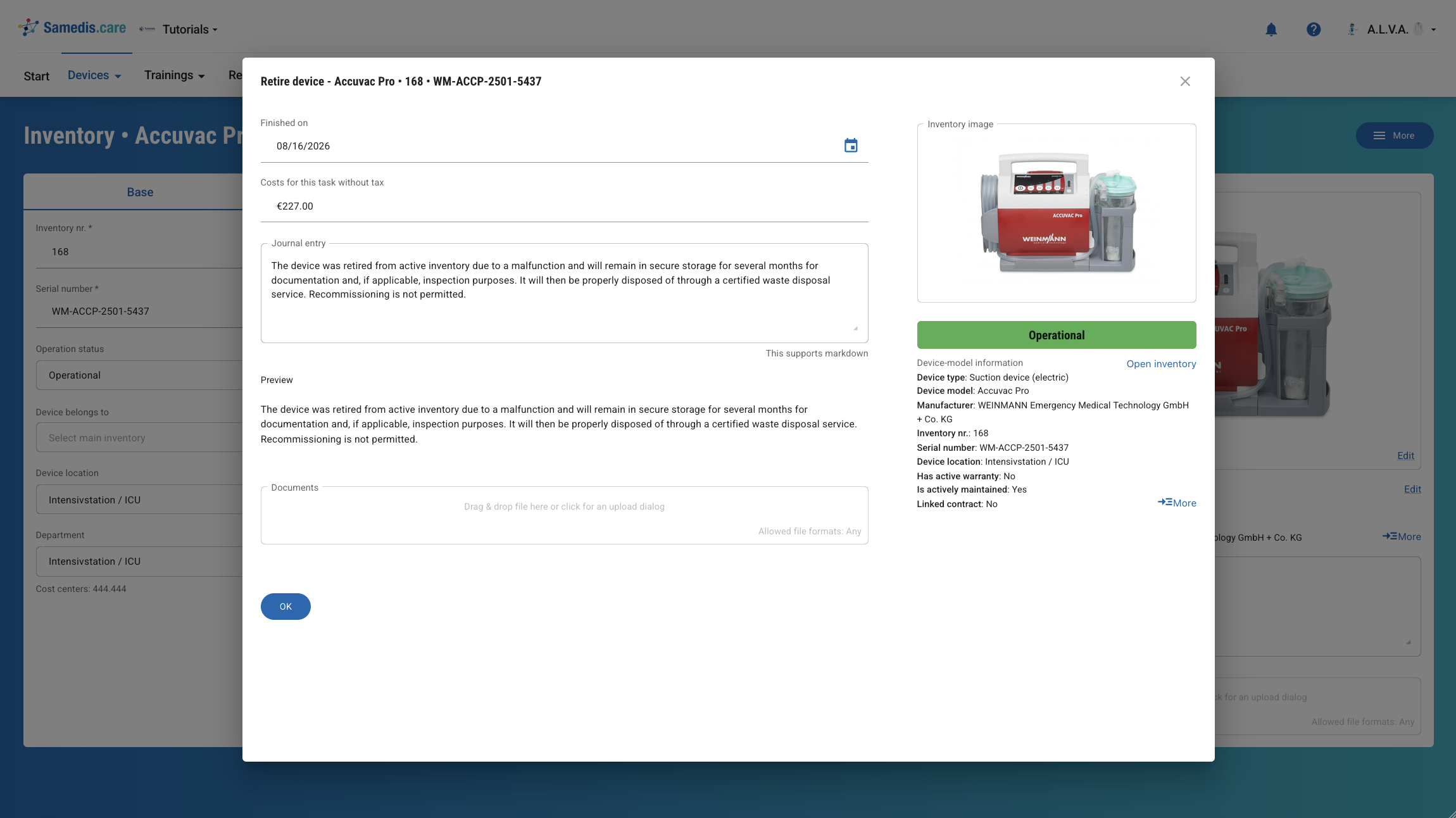
First, enter the retirement date (Finished on) and, if any costs were incurred for the retirement, the Costs for this task without tax. If needed, you can also add further notes (Journal entry) and attach the relevant Documents to the device.
3. Retire device
Then click OK to permanently retire the device.
Warning
Please note that you will only be able to view the device information afterwards; you will no longer be able to edit it.