Defining the application risk for a device type
Do you want to assign a different application risk to a device type than the one we provide in our device catalog? With Samedis, you can define your own risk assessment for your devices.
1. Access management
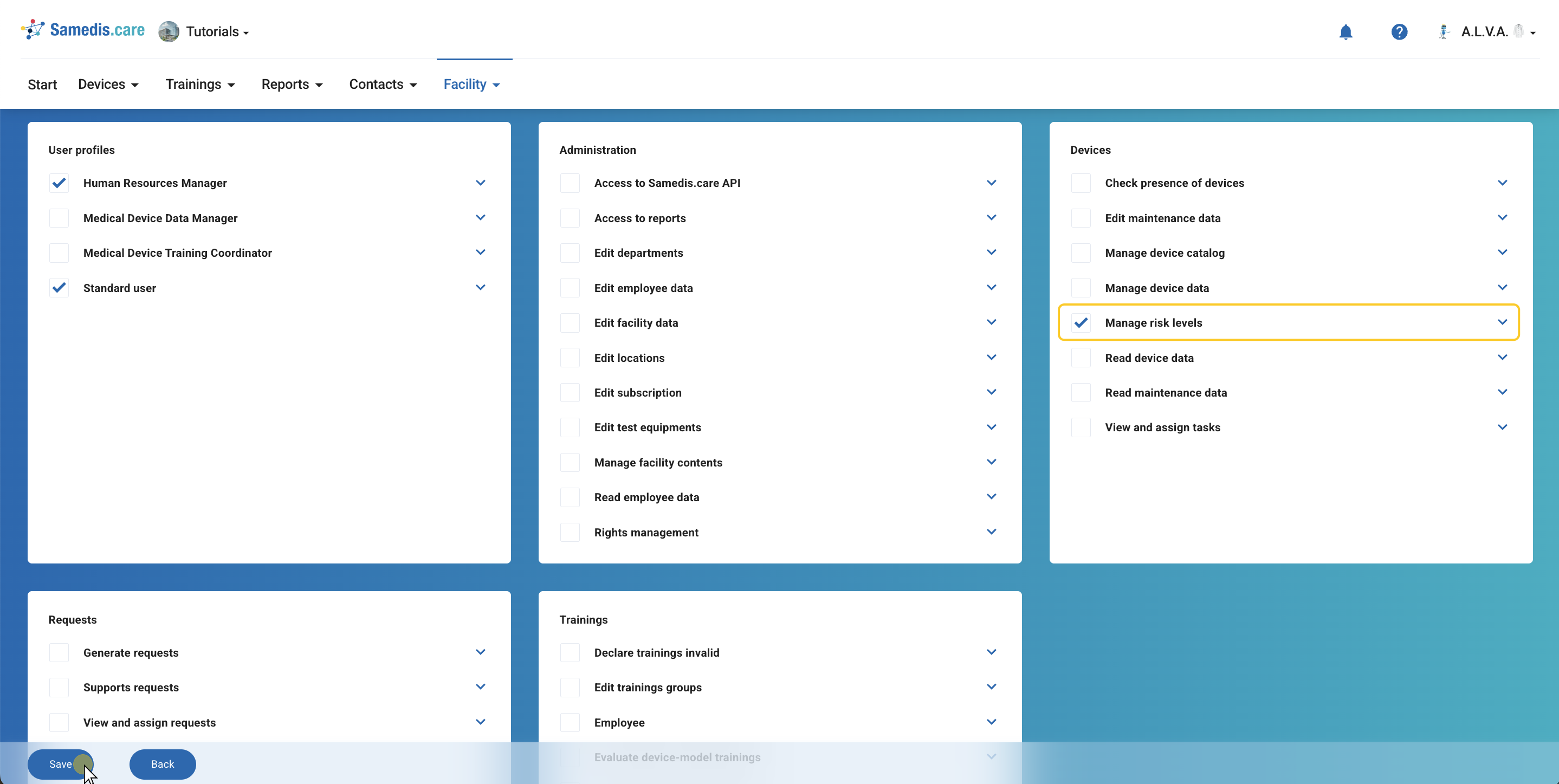
To perform a risk assessment, you need the permission Manage risk levels in your organization’s access management.
2. Open device catalog
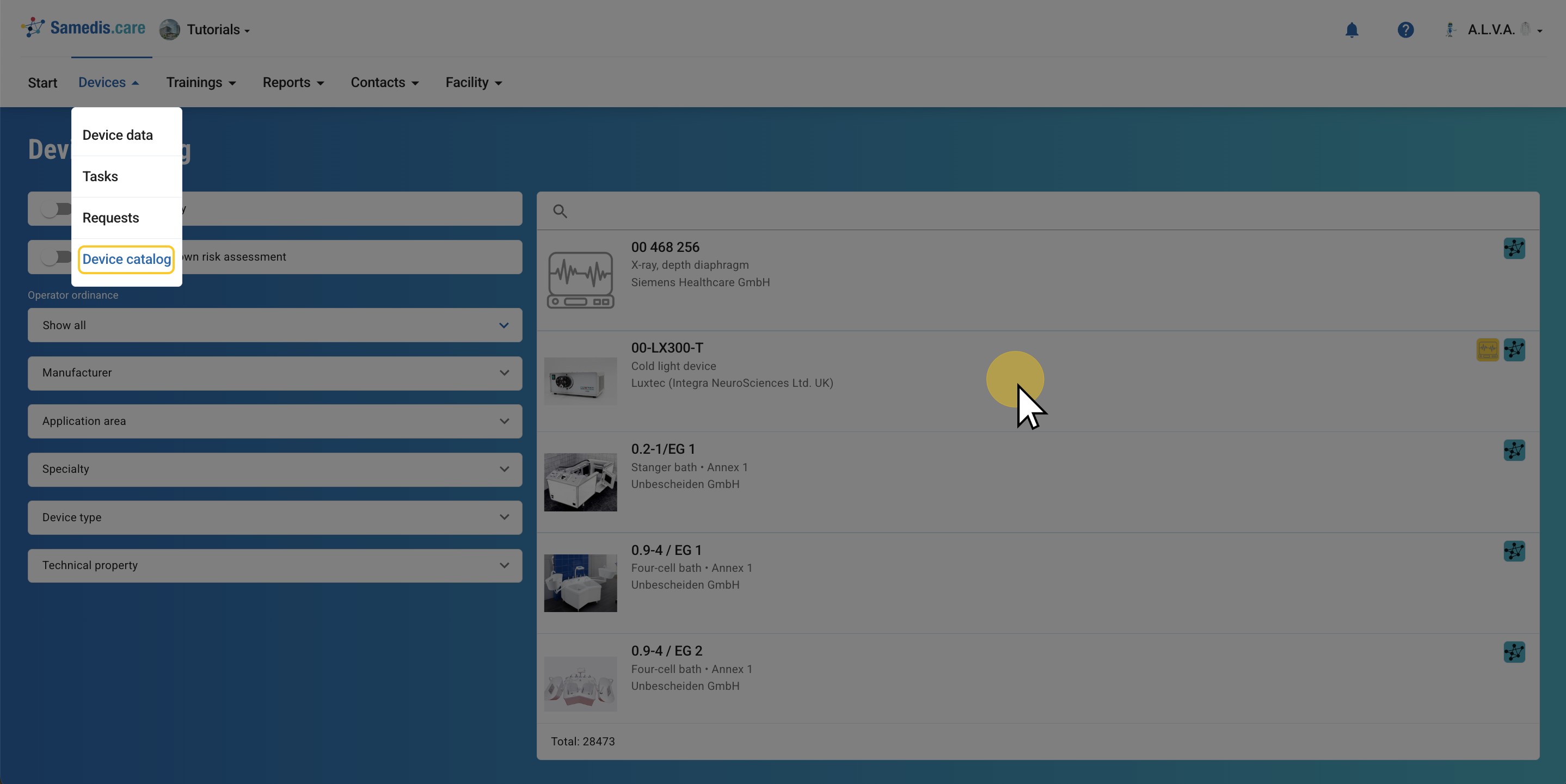
Go to the devices section and open your device catalog.
Find the device for which you want to change the application risk and open it.
3. Select device
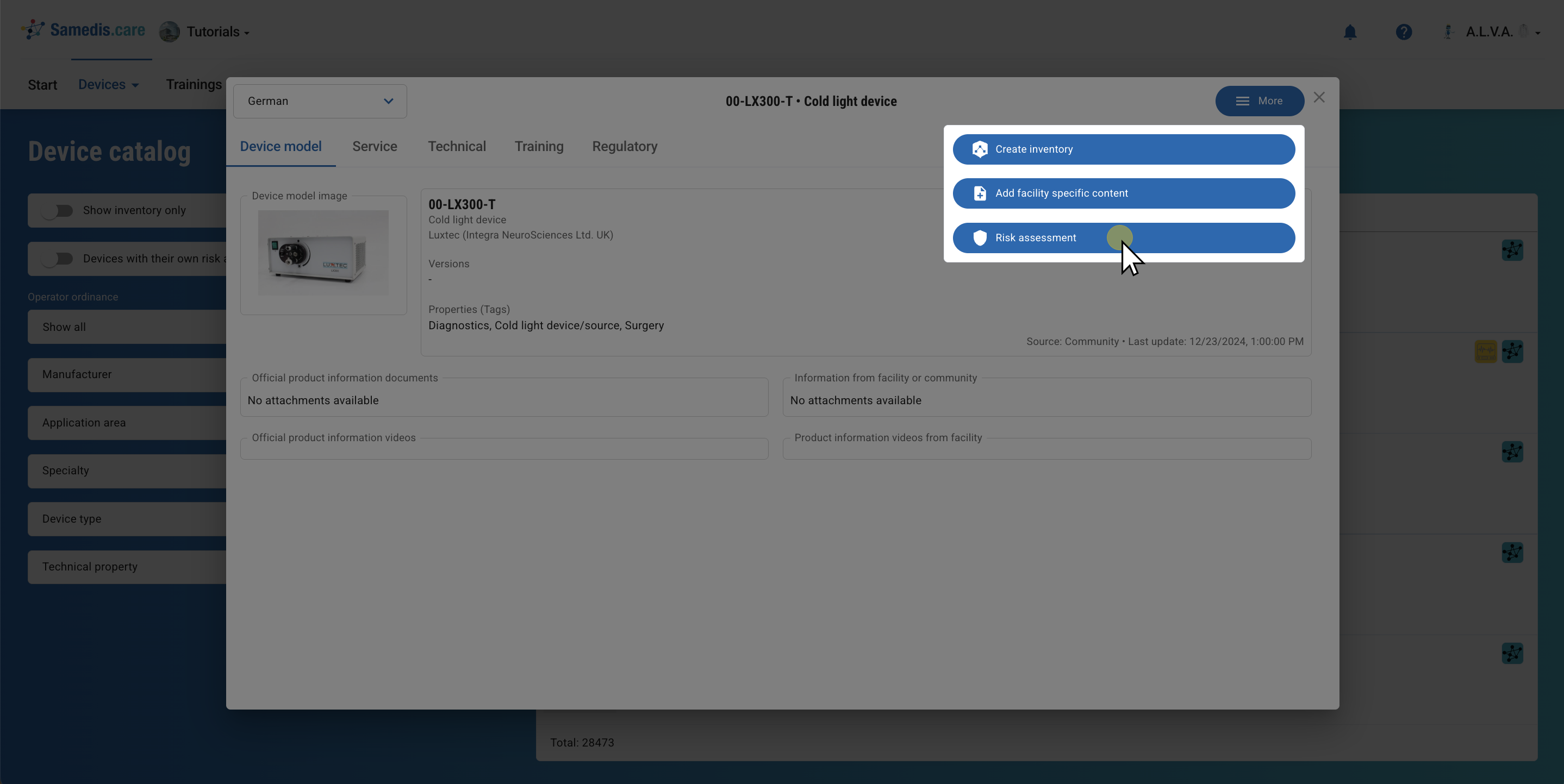
Then click on Risk assessment under More.
Note
The change of the application risk affects several areas, including trainings and the device type overview.
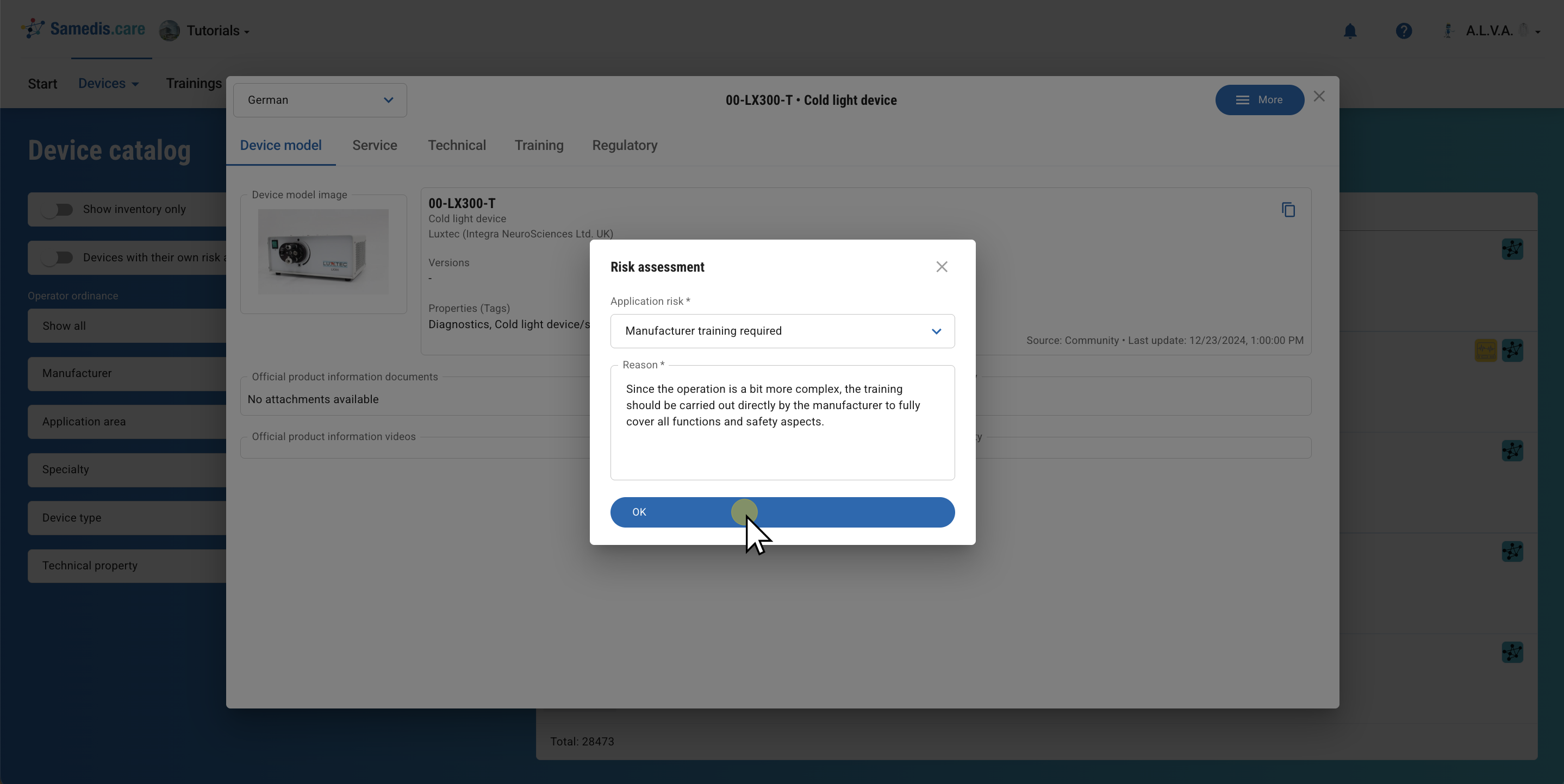
4. Risk assessment
Select the appropriate application risk for the device and add a short reason.
Then confirm your entry with OK.
5. View risk assessment
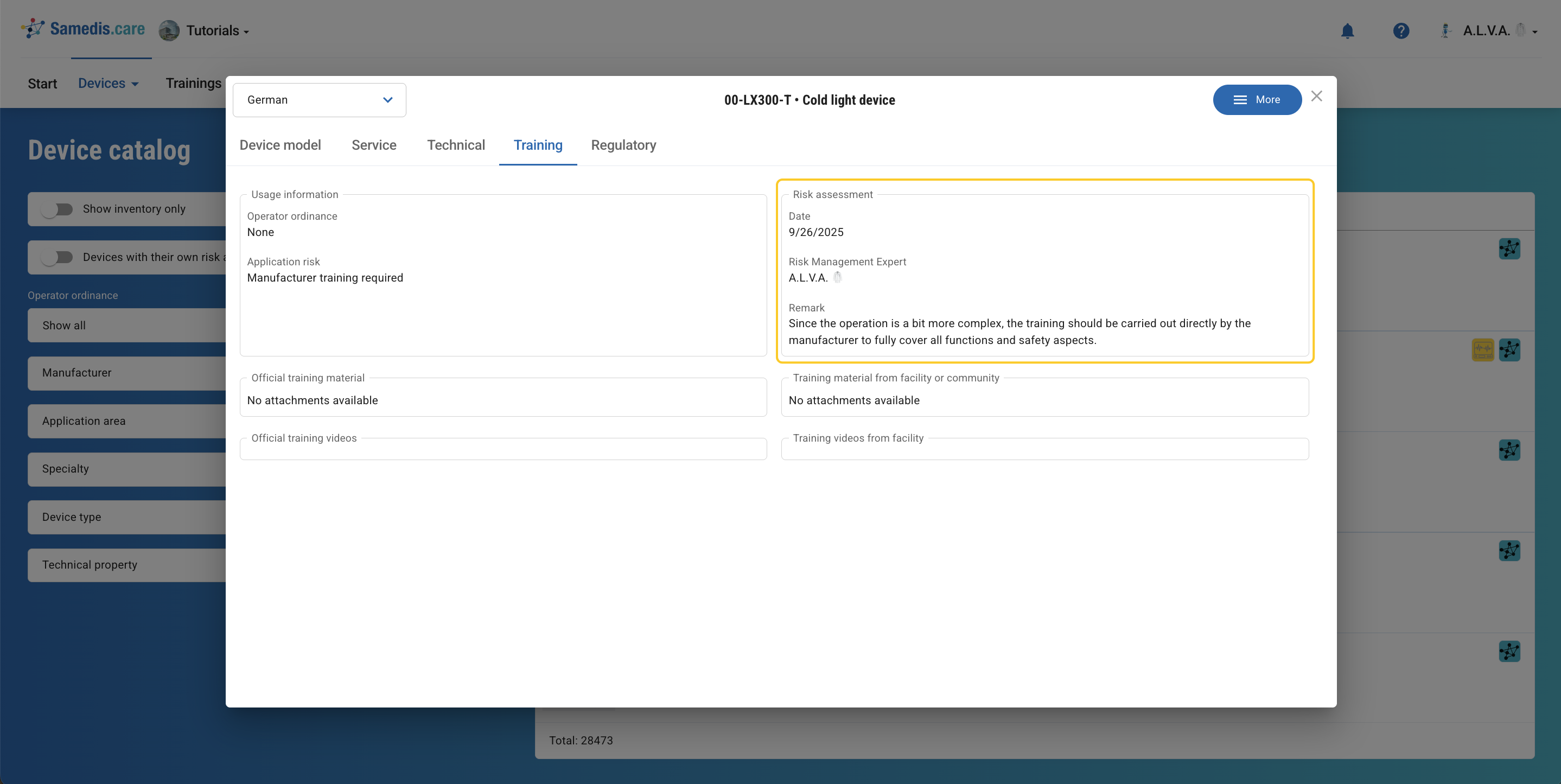
In the Training column, you can now see who carried out the risk assessment, when it was done, and which reason was entered.
6. Filter
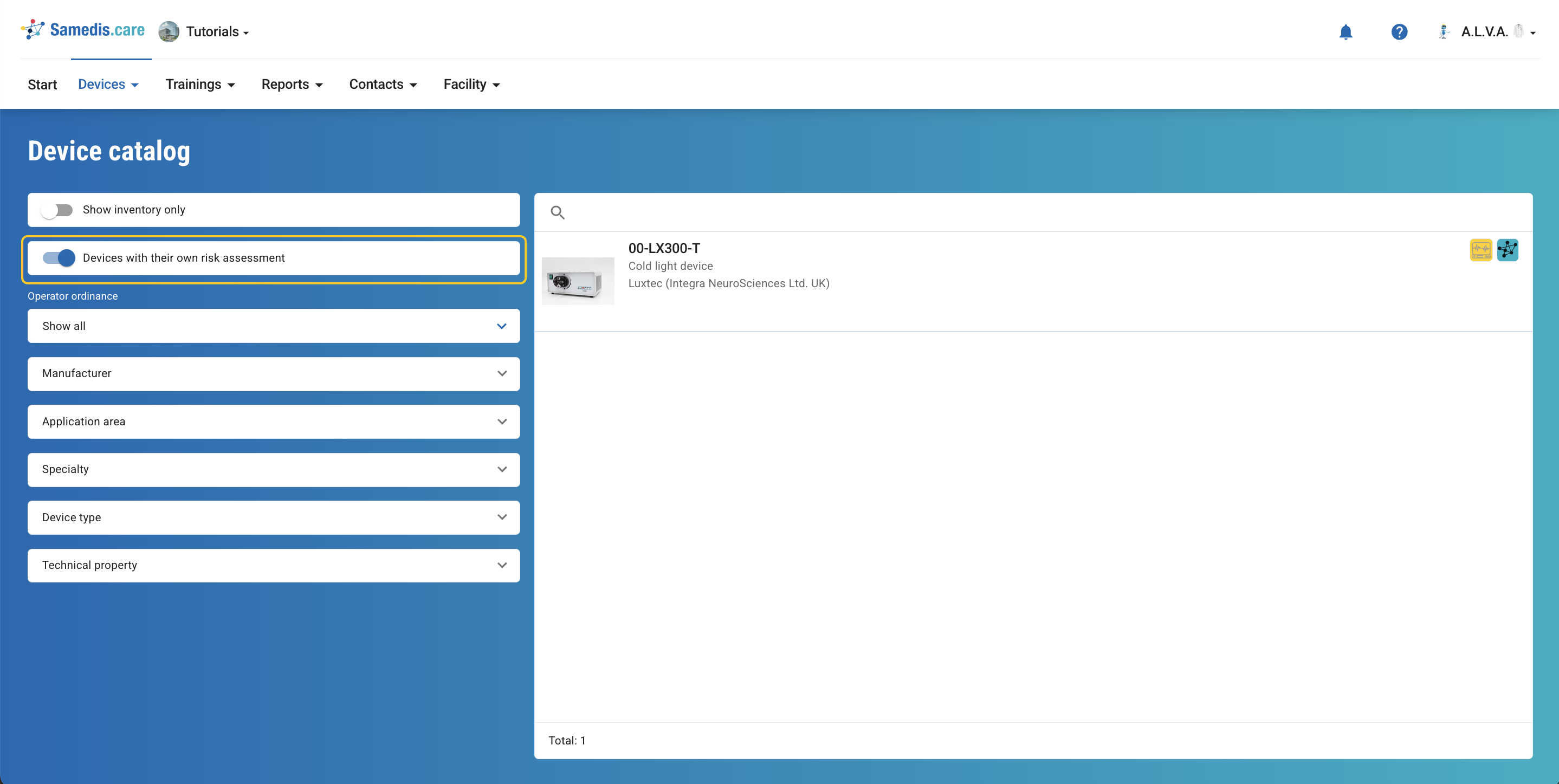
With the filter Devices with their own risk assessment, you can specifically display all devices with an adjusted application risk in the device catalog.