Show and hide columns
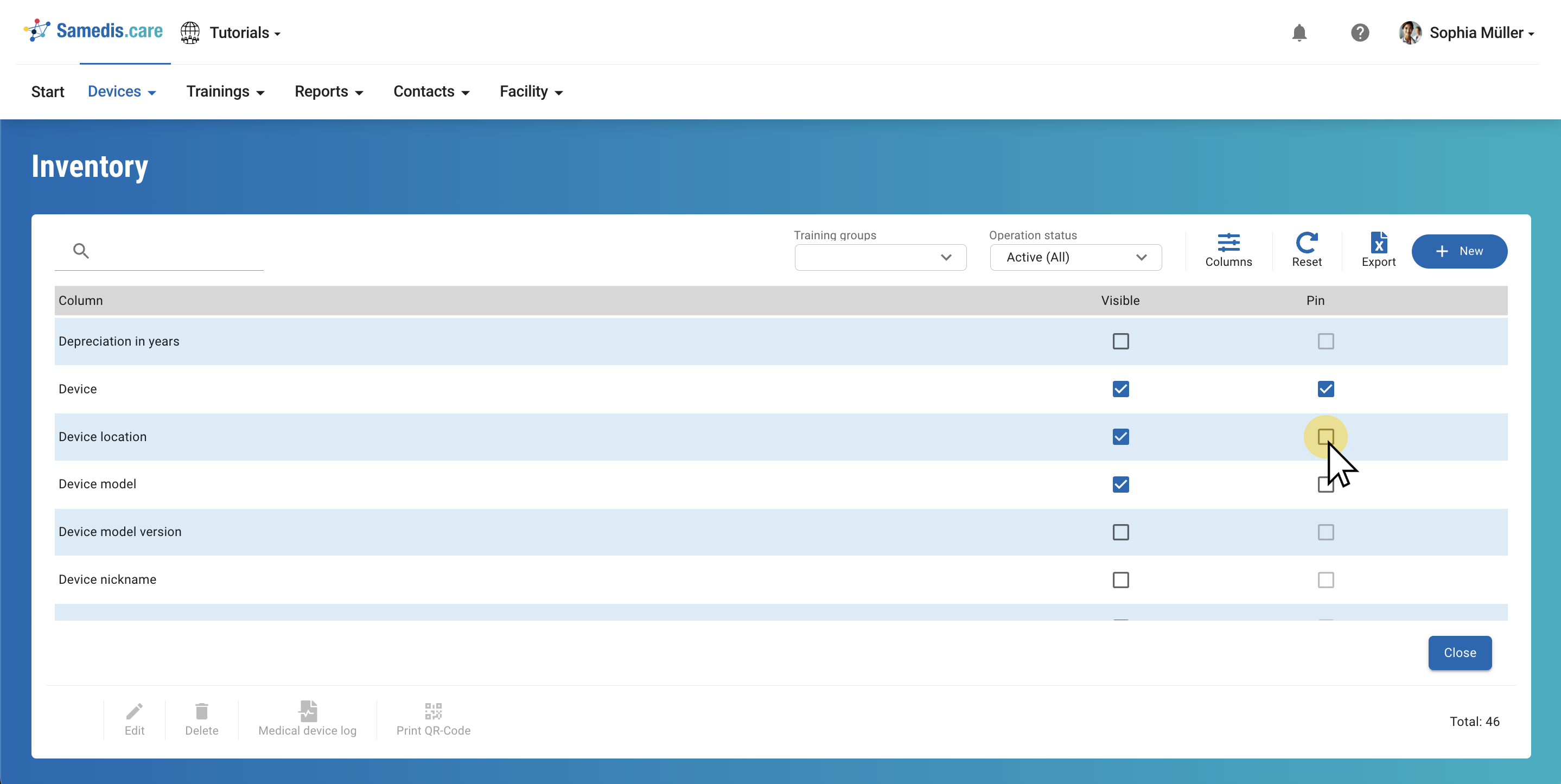
You can customize the view according to your needs by hiding or showing columns or by fixing them.
1. Show columns
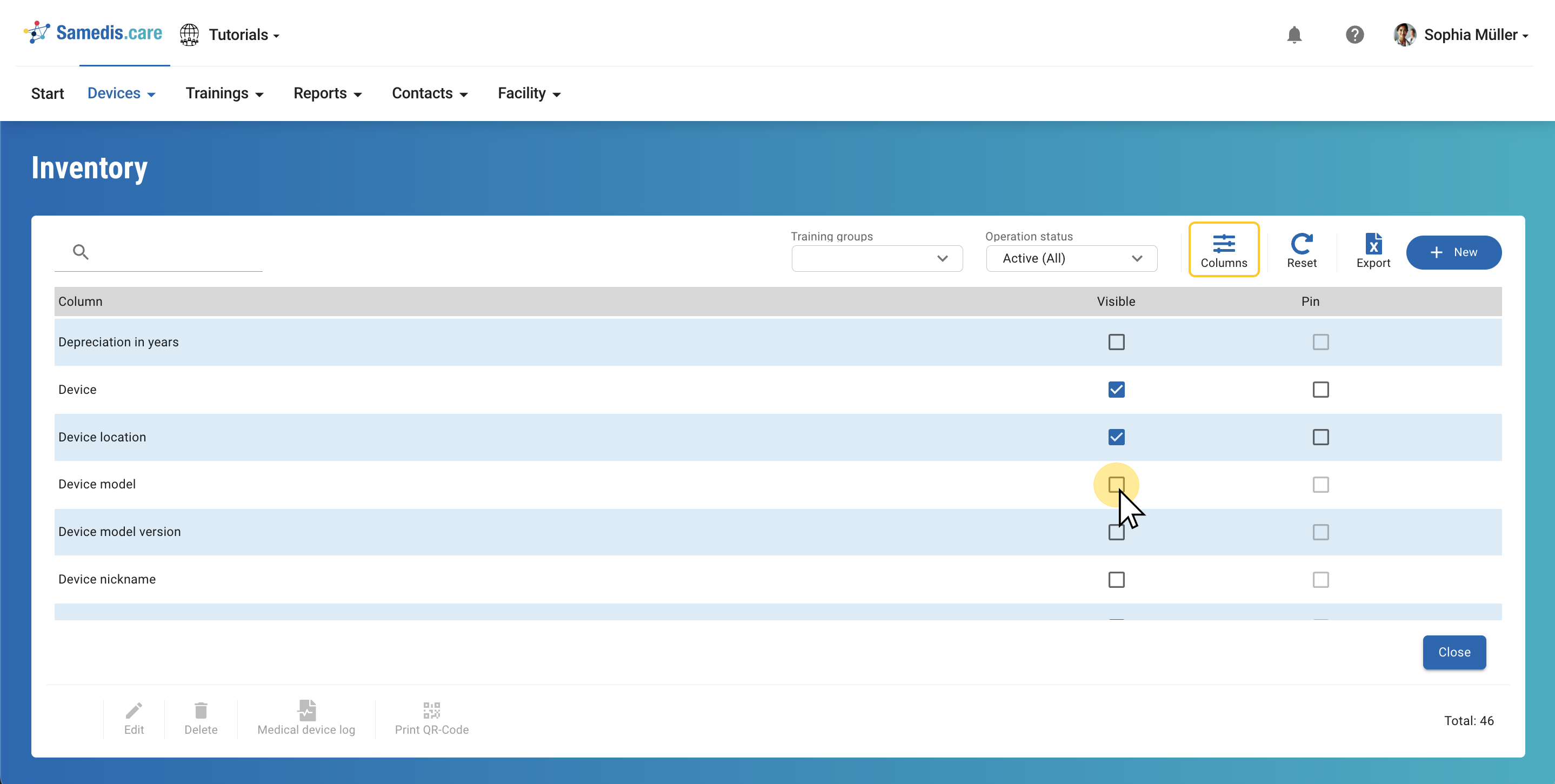
In the Columns section you decide which content is displayed. Simply click on the Visible checkbox to show the required elements.
2. Hide columns
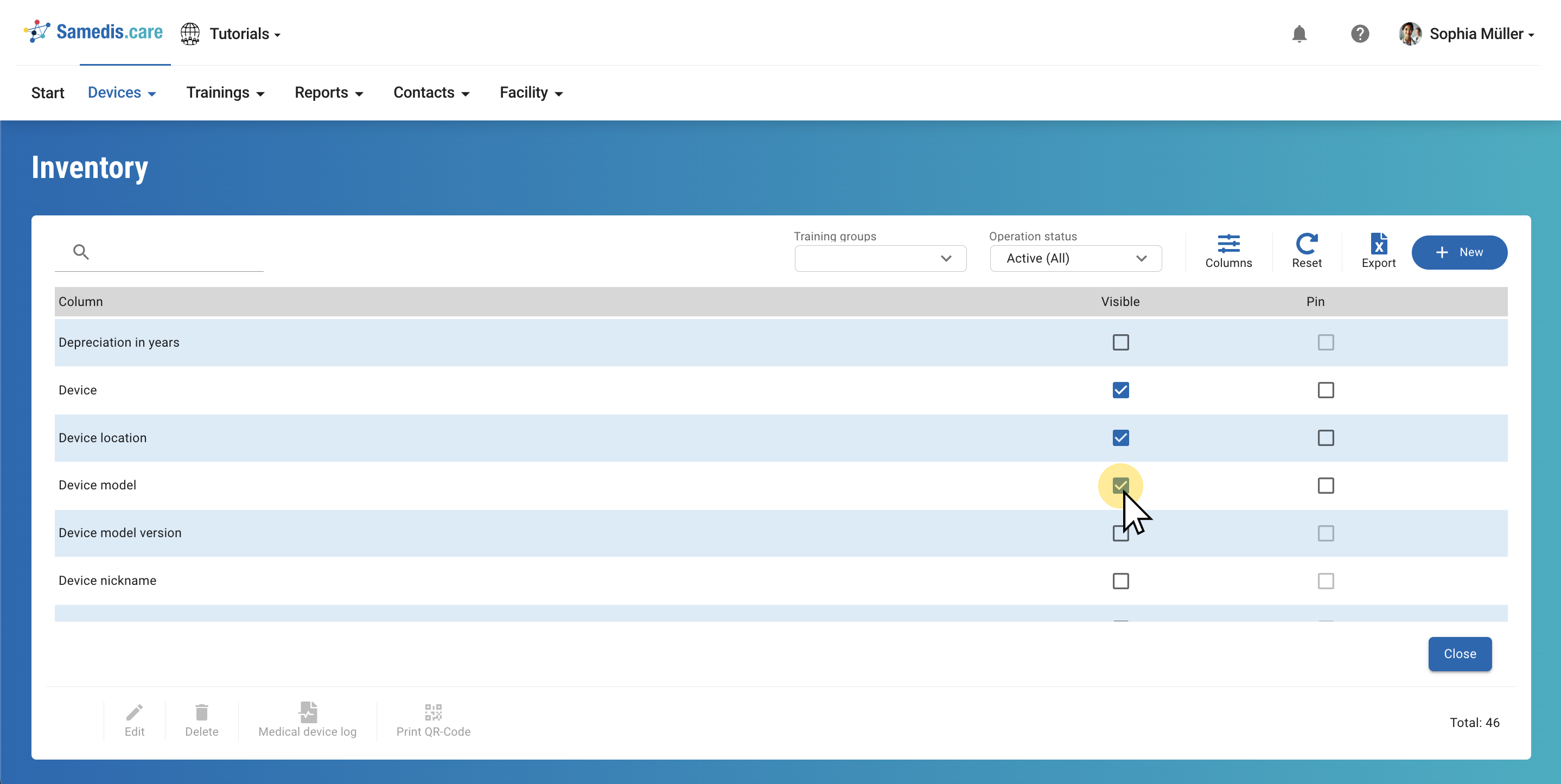
A further click on the box will remove the column from your view.
3. Pin columns
Select Pinto permanently fix displayed columns on the left edge of the view.
Then click Close to return to the overview.
Tip
You can only pin the columns that are visible.