Create facility
Create your own facility in Samedis.care to gain access to all features.
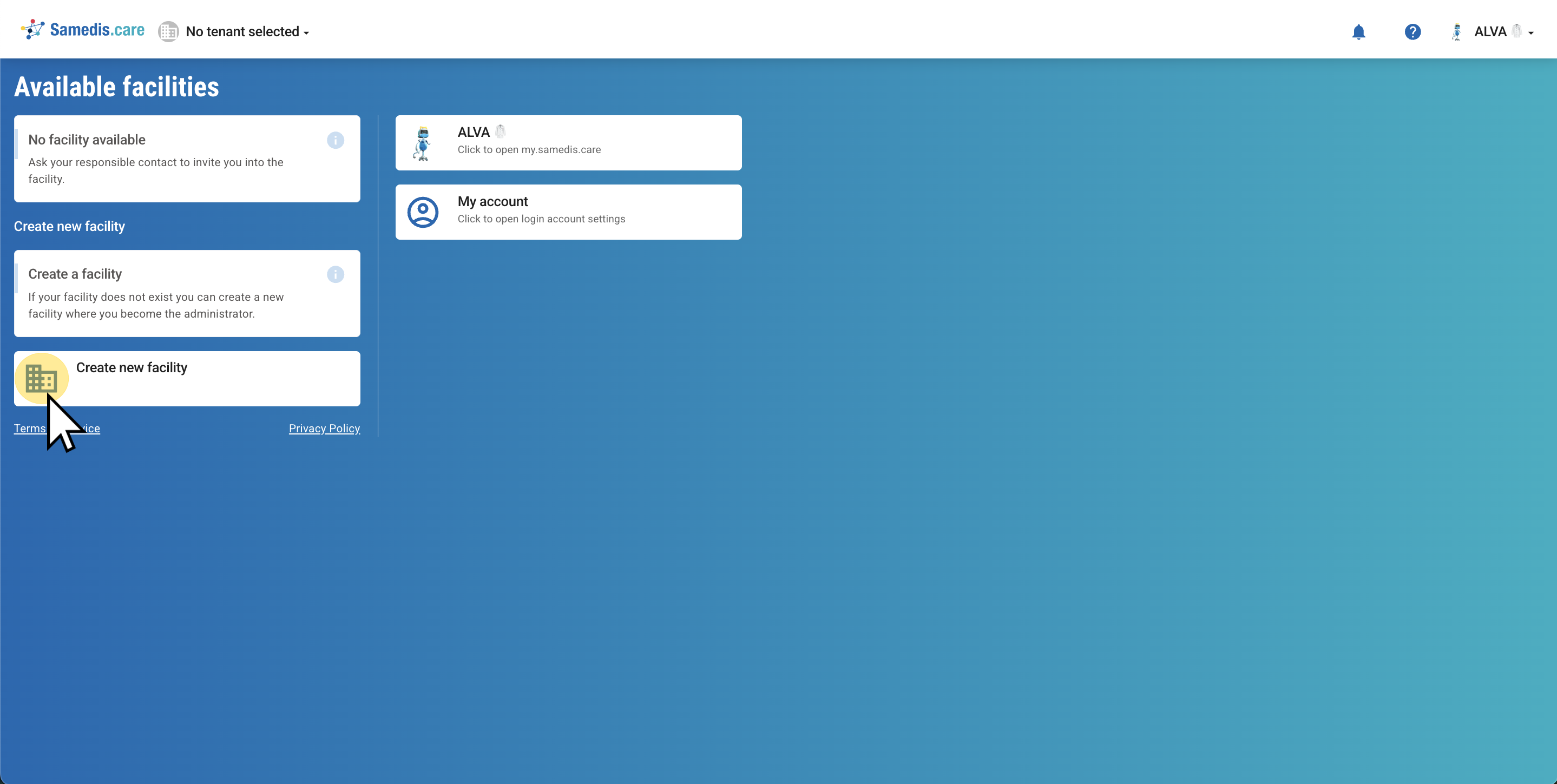
1. Create new facility
To create a new facility, click on Create new facility.
Note
If you work in a facility that already uses Samedis.care you don’t need to create a new one.
Instead, ask an authorized person to invite you to the existing facility.
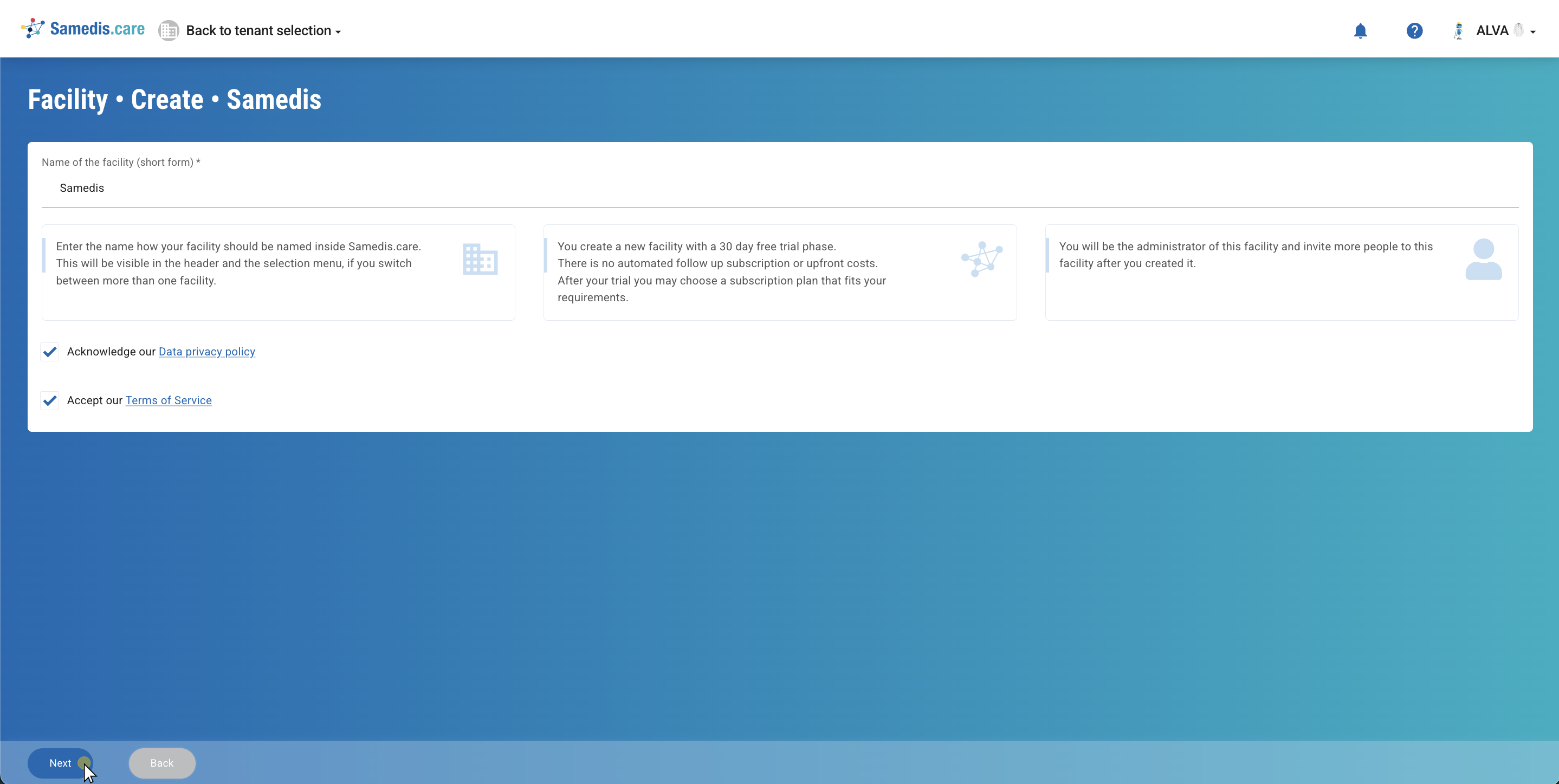
2. Name of the institution
Enter the commonly used name of your facility in the Name of the facility (short form) field. Then accept the Data privacy policy and Terms of Service, and click Next to continue creating your facility.
Tip
By creating a facility, your 30-day free trial period begins.
If you wish to continue using Samedis.care without restrictions after this period, you can choose a suitable subscription.
For more information, visit our website and check out our tutorials.
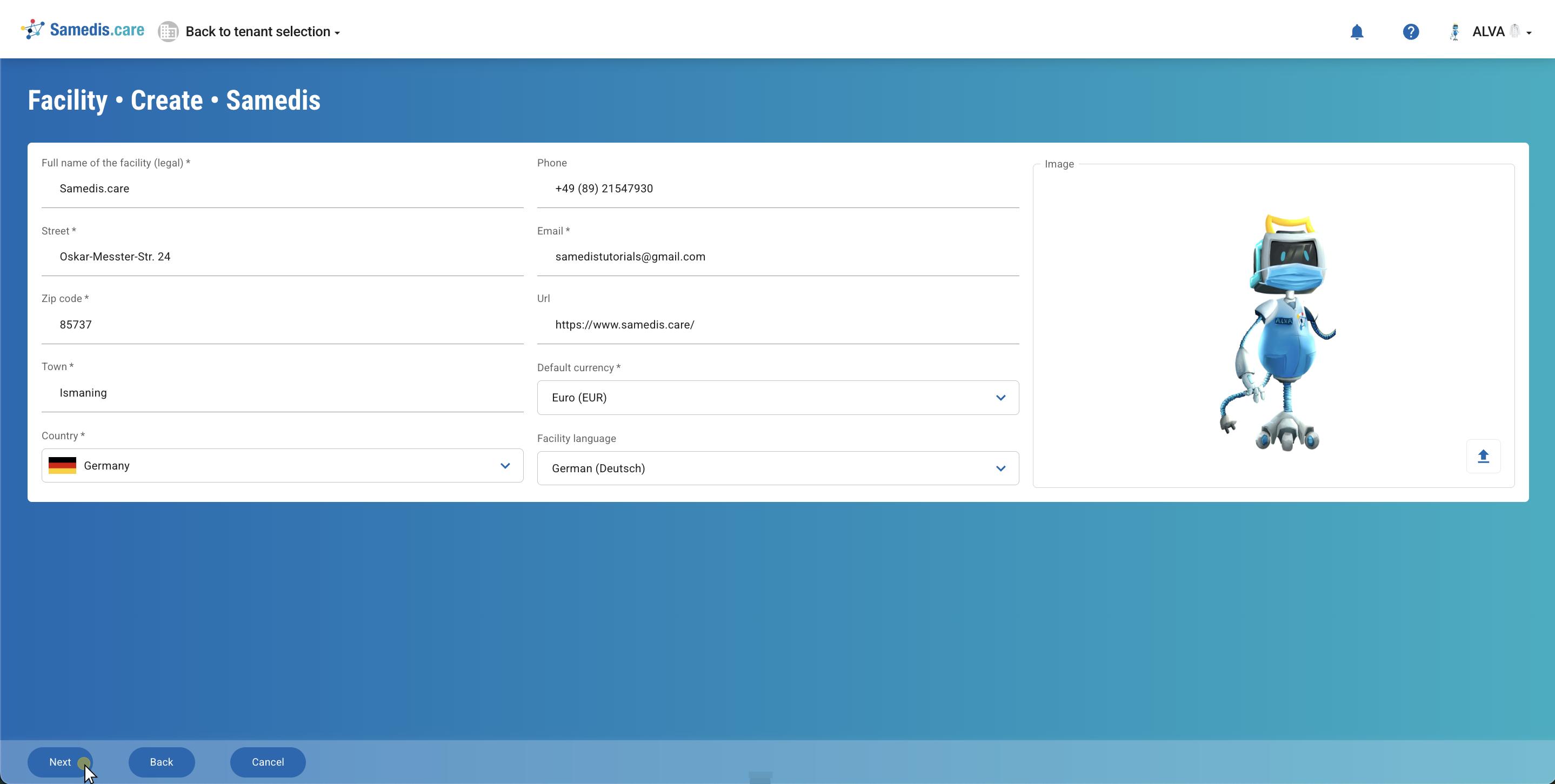
3. Collect facility data
Fill in all the fields with the appropriate information and upload an image or logo of your facility to complete your profile. Then click Next.
Tip
You can update or add to the facility data at any time later.
Note
The provided email address should belong to the contact person of the facility.
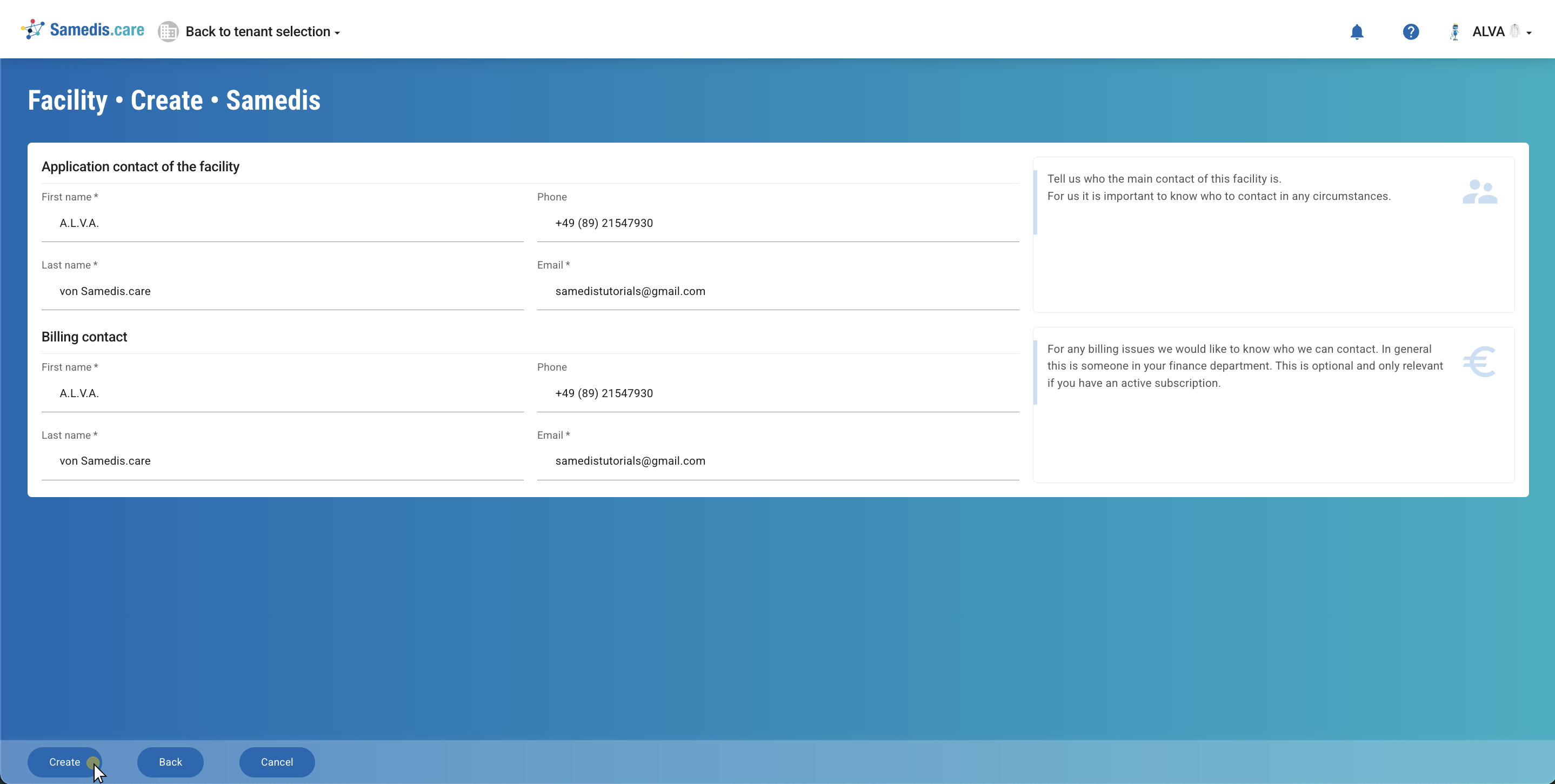
4. Contact person
Enter the Application contact of the facility as well as the Billing contact so that we know whom to reach out to if needed.
Then click on Create to finalize setting up the facility.
Tip
Main contact of the facility: This person assists other employees in using Samedis.care after the introduction phase and will be informed by us about updates.
Billing contact:
The billing contact is important to ensure the right person is addressed for invoice-related questions. You can provide a separate billing address, but it is not mandatory. If no address is provided, we will send the invoice to the email address listed under Application contact.
Note
The billing email address must be entered separately in the facility’s data.